CWNA vs Network+: Which Certification Should You Choose First?
If you’re building a career in networking, two certifications often appear early on the roadmap: the CompTIA Network Plus (Network+) and the CWNP Certified Wireless Network Administrator (CWNA).
Both are respected, vendor-neutral credentials, but they serve slightly different purposes and support different career directions.
So how do they compare? Should you choose one before the other? And are they both worth your time? Let’s explore...
What Is Network+?
Network+ is widely considered the foundation-level certification for networking professionals. It introduces the essential concepts that every network engineer, administrator, or IT support professional, should understand.
Typical topics include:
• Network architecture and topologies
• IP addressing and routing basics
• Switching fundamentals
• Network security concepts
• Troubleshooting methodology
• Cabling and physical infrastructure
Because it covers both wired and wireless networking at a conceptual level, Network+ is often the first structured networking certification many IT professionals pursue.
It helps learners answer questions such as, “How does a network actually work?”
This makes it particularly valuable for early-career engineers, helpdesk professionals moving into networking roles, and anyone transitioning into infrastructure-focused IT positions.

What Is CWNA?
The CWNA certification focuses specifically on Wi-Fi networking. Rather than treating wireless as just one topic among many, CWNA explores wireless networking in technical depth.
Core areas include:
• RF fundamentals
• Wi-Fi standards (802.11 family)
• WLAN design principles
• Antennas and propagation
• Site survey methodology
• Security considerations
• Performance troubleshooting
CWNA answers a different question “How do wireless networks really work, and how do you design them properly?”
As wireless connectivity becomes mission-critical across enterprises, healthcare, logistics, education, and manufacturing, this expertise is increasingly valuable.
Key Differences Between CWNA and Network+
The most important difference is scope:
- Network+ provides breadth and helps you understand networks overall.
- CWNA provides depth (in wireless) and helps you understand Wi-Fi professionally.
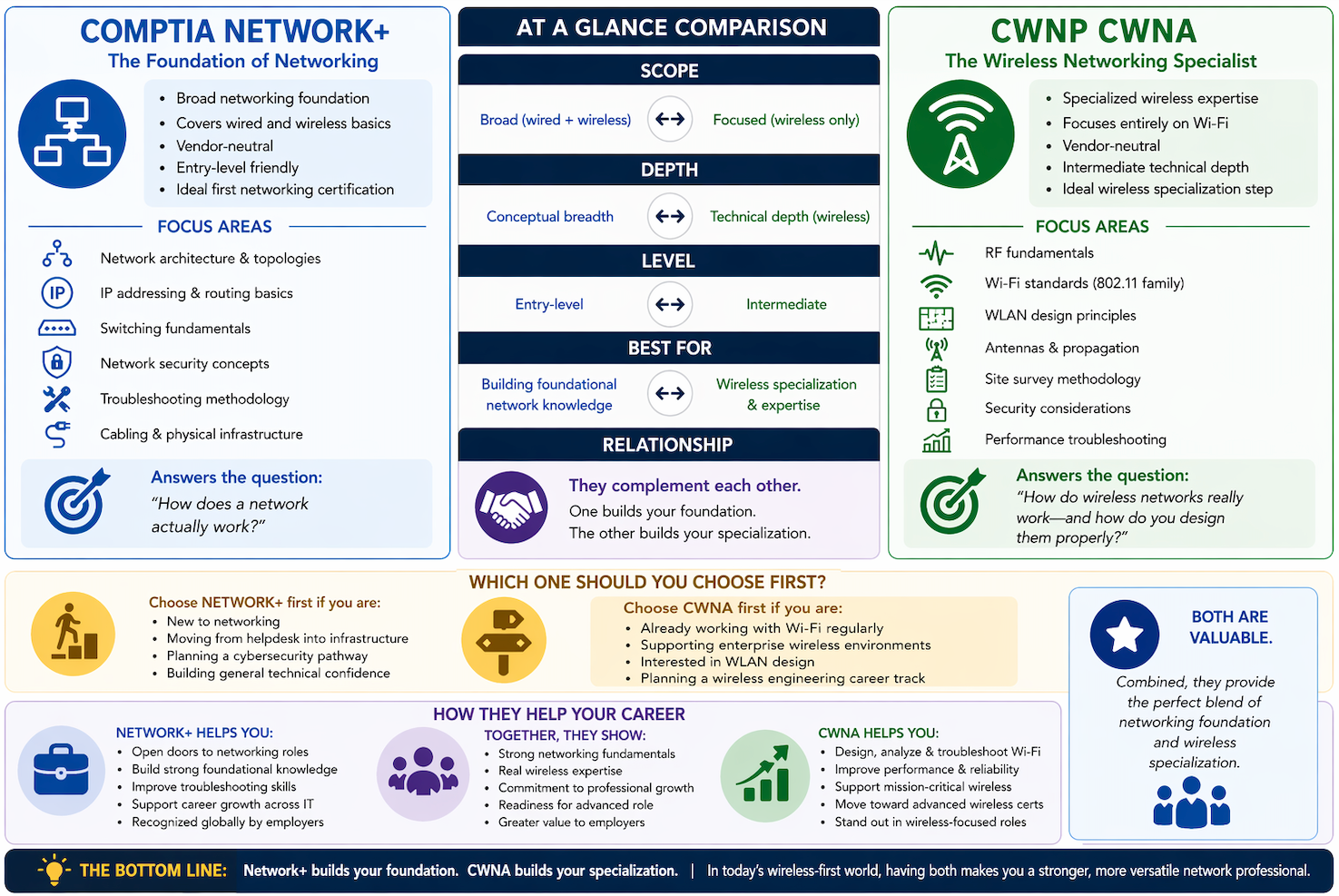
Here’s a very basic and simple comparison:
Network+ CWNA
Broad networking foundation Specialized wireless expertise
Covers wired + wireless basics Focuses entirely on Wi-Fi
Entry-level friendly Intermediate technical depth
Ideal first networking certification Ideal wireless specialization step
Recognized across all IT roles Highly valued in wireless-focused roles
Neither replaces the other. They complement each other.
Should You Take Network+ Before CWNA?
In most cases, yes.
Network+ builds the foundational vocabulary and conceptual understanding that makes CWNA easier to learn and apply. Topics like switching, subnetting, and troubleshooting methodology provide context that strengthens your wireless studies later.
A common progression could be: Network+ → CWNA → Advanced wireless certifications
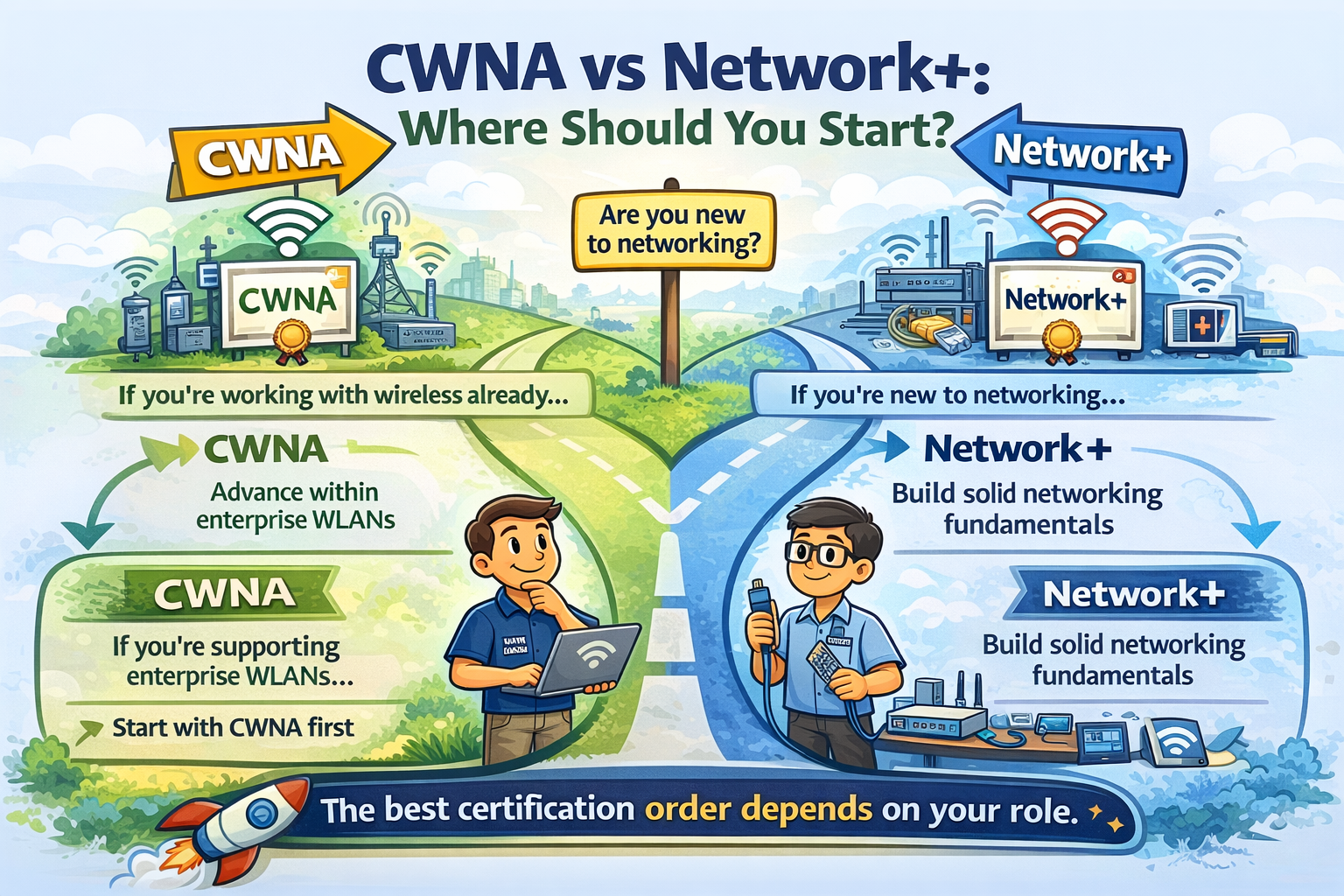
However, there are exceptions: if your role already focuses heavily on Wi-Fi (perhaps in enterprise WLAN support, field engineering, or wireless deployment) starting with CWNA might make perfect sense.
(You can right-click the image and select "Open Image in New Tab" to read image contents more comfortably.)
How Network+ Supports Your Career
Network+ helps open doors. It demonstrates that you understand the essential mechanics of modern networks and can work confidently in infrastructure environments.
Career benefits include:
• Strong entry point into networking roles
• Useful foundation for cybersecurity pathways
• Supports progression toward advanced certifications
• Recognized by employers globally
• Builds troubleshooting confidence early in your career
For many professionals, Network+ marks the transition from general IT support into networking specialization.
How CWNA Supports Your Career
CWNA positions you differently. Rather than simply proving you understand networking basics, it shows that you can design, analyze, and troubleshoot wireless networks professionally. This matters because Wi-Fi is no longer optional: it is core infrastructure.
CWNA helps professionals:
• Support enterprise wireless environments
• Participate in WLAN design discussions
• Perform or interpret site surveys
• Improve network performance and reliability
• Move toward advanced wireless certifications (like CWSP or CWDP)
In organizations where wireless supports voice systems, clinical devices, logistics tracking, or industrial automation... this expertise is highly prized.
Are Both Certifications Valuable?
Absolutely and, together, they are especially powerful!
Network+ demonstrates networking competence.
CWNA demonstrates wireless specialization.
Employers increasingly look for engineers who understand both.
Modern networks are no longer primarily wired environments with wireless added later. Instead, wireless often is the primary access layer. That makes engineers with structured WLAN knowledge stand out.
Holding both certifications signals:
• strong networking fundamentals
• real wireless expertise
• commitment to professional development
• readiness for infrastructure-focused roles
This combination strengthens credibility early in a networking career.
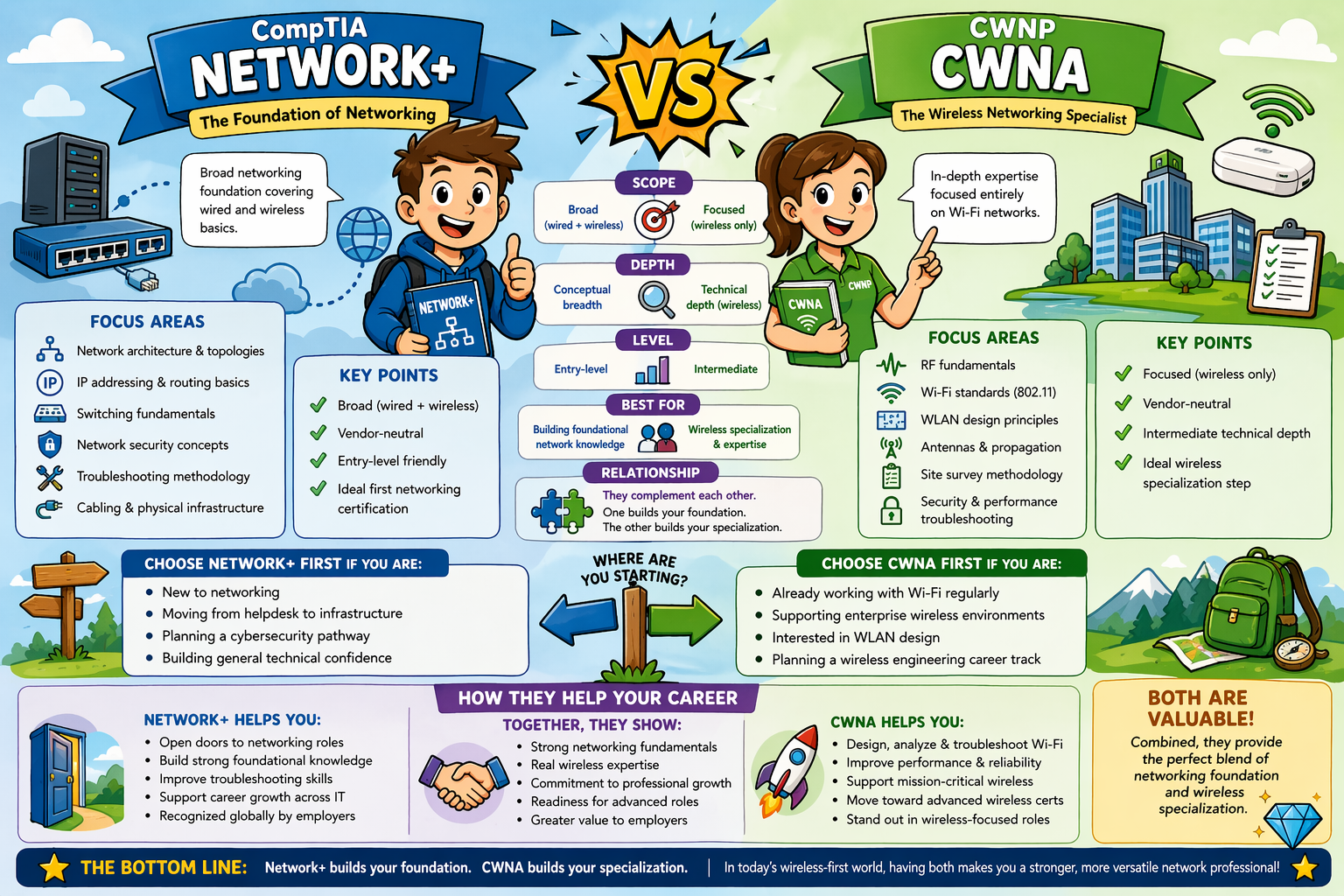
(You can right-click the image and select "Open Image in New Tab" to read image contents more comfortably.)
Which One Should You Choose First?
Here is a practical guideline:
Choose Network+ first if you are:
• new to networking
• moving from helpdesk into infrastructure
• planning a cybersecurity pathway
• building general technical confidence
Choose CWNA first if you are:
• already working with Wi-Fi regularly
• supporting enterprise wireless environments
• interested in WLAN design
• planning a wireless engineering career track
Many professionals ultimately complete both and benefit from doing so.
In Summary
Network+ builds your foundation.
CWNA builds your specialization.
Together, they create a strong platform for careers in networking, wireless engineering, and cybersecurity.
If your goal is to become a confident, capable network professional in today’s wireless-first world, combining both certifications is not just valuable... it’s strategic!
===
===
Learn More
If you want to learn more about CWNP wireless training and wireless networks, visit our CWNP training portfolio page here
If you want to learn more about CompTIA training and wireless networks, visit our CompTIA training portfolio page here
===
#WiFi #WirelessNetworks #CWNP #CompTIA
===
About NC-Expert
NC-Expert is a privately-held California corporation and is well established within the Wireless, Security, and CyberSecurity industry certification training, courseware development, and consulting markets.
NC-Expert has won numerous private contracts with Fortune level companies around the world. These customers have depended on NC-Expert to train, advise, and mentor their staff.
So remember, if you are looking for the best IT training just call us at (855) 941-2121 or contact us
NC-Expert Blog