Wi-Fi Myth Series – Myth #4: If Coverage is Good, Capacity Will Be Fine
Walk into almost any office after a new Wi-Fi deployment and you'll hear a familiar sentence: "Coverage looks great. We should be good."
It sounds logical. After all, if every corner of the building has a healthy signal, surely the network can handle whatever users throw at it. Except... that's not how Wi-Fi works.
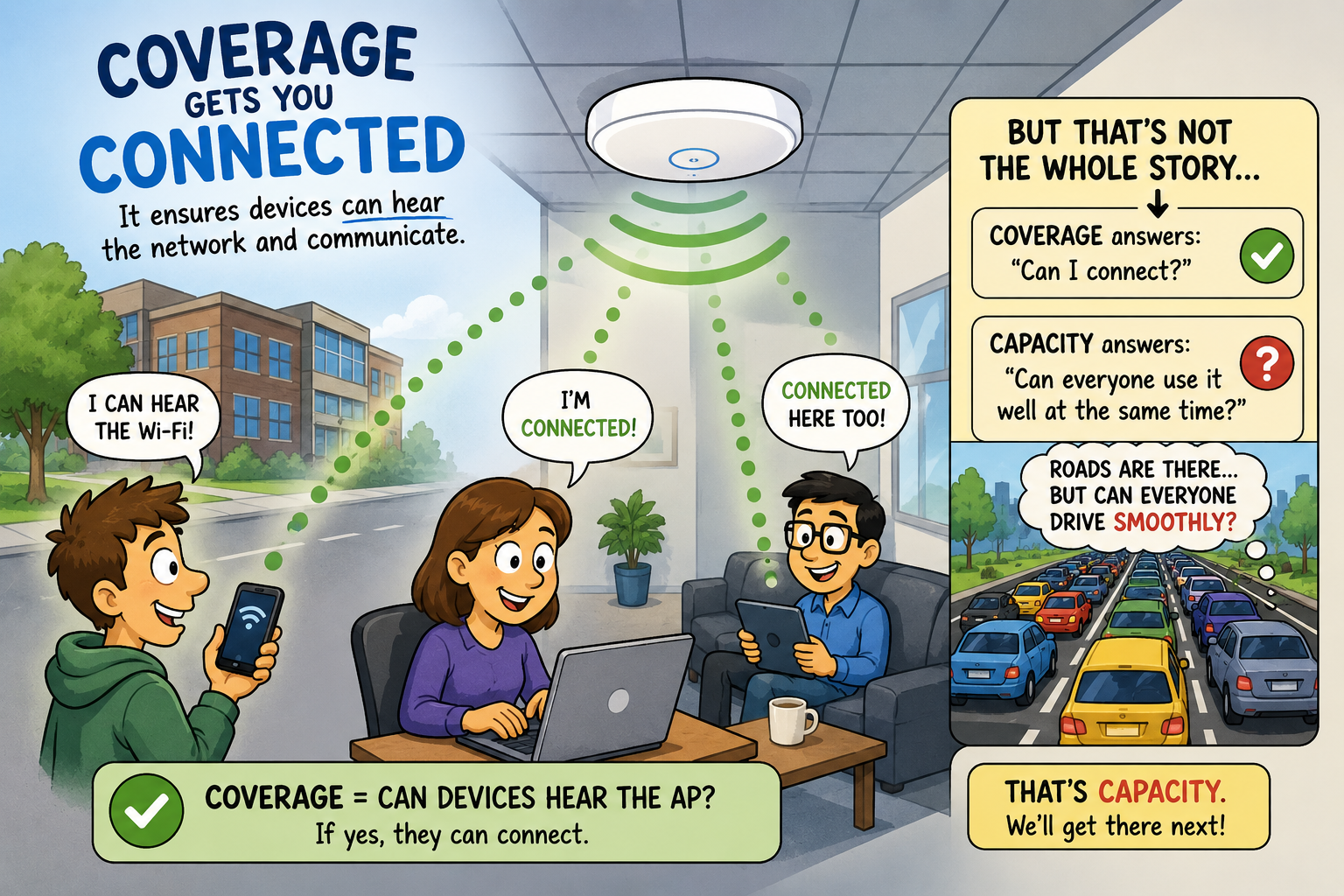
Coverage and capacity are close friends, but they're definitely not twins. One answers the question, "Can devices hear the network?" The other answers, "Can everyone actually use it at the same time?"
Confusing the two is one of the most common mistakes in Wi-Fi design, and it often explains why a network that looks fantastic on a heatmap still leaves users frustrated.
Let's bust this myth once and for all.
Coverage Gets You Connected
Coverage is relatively straightforward.
Its purpose is to ensure that devices can communicate with an access point using sufficient signal strength for the applications being used. If users can't hear the AP-or the AP can't hear them-nothing else matters.
This is why coverage planning is always the starting point of wireless design.
Engineers spend time selecting AP locations, considering building materials, validating RSSI targets, checking roaming boundaries, and ensuring there are no dead zones. All essential.
But notice what coverage doesn't measure:
· It doesn't tell you how many users are connected.
· It doesn't tell you how much airtime they're consuming.
· It doesn't tell you whether twenty engineers are simultaneously uploading files, joining video meetings, or downloading software updates.
Coverage simply tells us that communication is possible. Capacity tells us whether communication is practical.
Wi-Fi Isn't Like Water Pressure
Imagine designing a city's road network. You successfully build roads to every neighborhood. Every house now has access. Mission accomplished? Not quite.
If every commuter tries to drive into downtown at exactly 8:00 a.m., those beautifully constructed roads become parking lots. The roads didn't disappear. They simply ran out of capacity.
Wi-Fi behaves much the same way.
Strong signal strength doesn't create more airtime. It simply allows more devices to participate in sharing the same finite wireless medium. In fact, excellent coverage without proper capacity planning can sometimes make congestion even more obvious because every device is successfully connected-and all of them now want a turn to talk.
Airtime Is the Real Currency
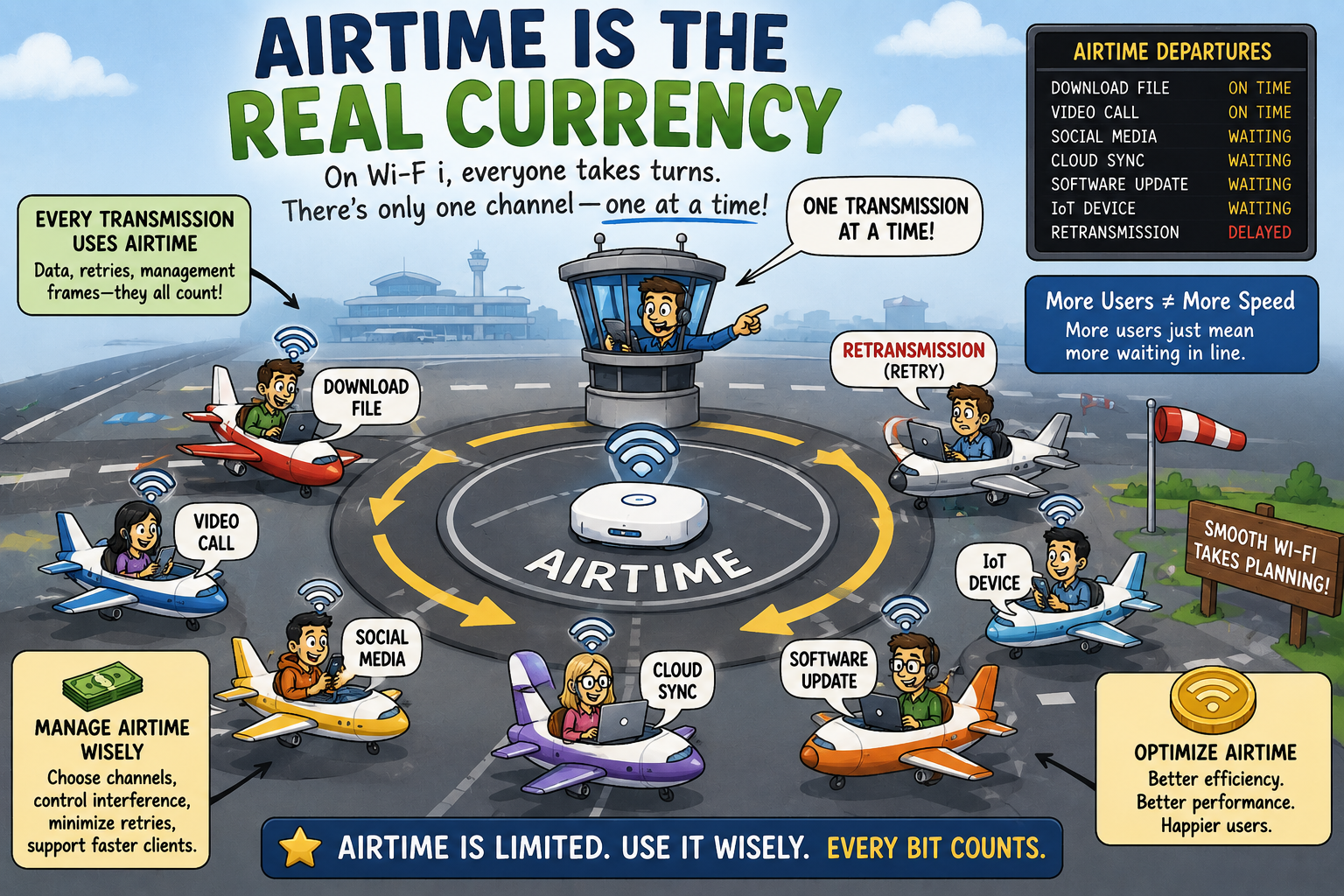
One of the hardest concepts for newer wireless engineers to fully appreciate is that Wi-Fi isn't limited by bandwidth nearly as often as it's limited by airtime:
- Every transmission occupies the channel.
- Every retry consumes airtime.
- Every management frame consumes airtime.
- Every slow client consumes more airtime.
- Every legacy device consumes airtime.
- Every hidden node, retransmission, and unnecessary broadcast quietly steals a little more.
Unlike switched Ethernet, where devices generally communicate independently, Wi-Fi users politely take turns. The channel doesn't care whether your application is important. It simply allows one transmission at a time. This is why an office with fifty connected users can feel dramatically different from one with five-even when RSSI measurements look identical.
More Users Changes Everything
Imagine two conference rooms. Both have excellent coverage. Both show an RSSI around -60 dBm. Room A contains four people checking email. Room B contains forty people attending an all-hands meeting while simultaneously streaming presentations, synchronizing cloud storage, downloading documents, and joining AI-powered meeting assistants.
Same coverage. Very different capacity requirements. Coverage never predicted this outcome.
Capacity planning would have.
This is why modern Wi-Fi design begins with understanding the business rather than simply drawing circles on a floorplan:
- How many users?
- What applications?
- Peak occupancy?
- Video?
- Voice?
- IoT?
- High-density events?
- Shift changes?
The answers determine the design far more than the building dimensions alone.
Capacity Requires Planning
Capacity planning is where wireless engineering becomes both science and art.
It involves questions such as:
- How many clients will each AP realistically support?
- Which channels should be assigned?
- Should 20 MHz or 40 MHz channels be used?
- How will neighboring APs interact?
- Will client distribution remain balanced?
- Are transmit power levels encouraging proper roaming?
- Is the network optimized for voice, video, or general office traffic?
This is where experienced Wi-Fi engineers earn their reputation.
Anyone can install access points. BUT, designing a network that performs well during Monday morning chaos is a completely different challenge.
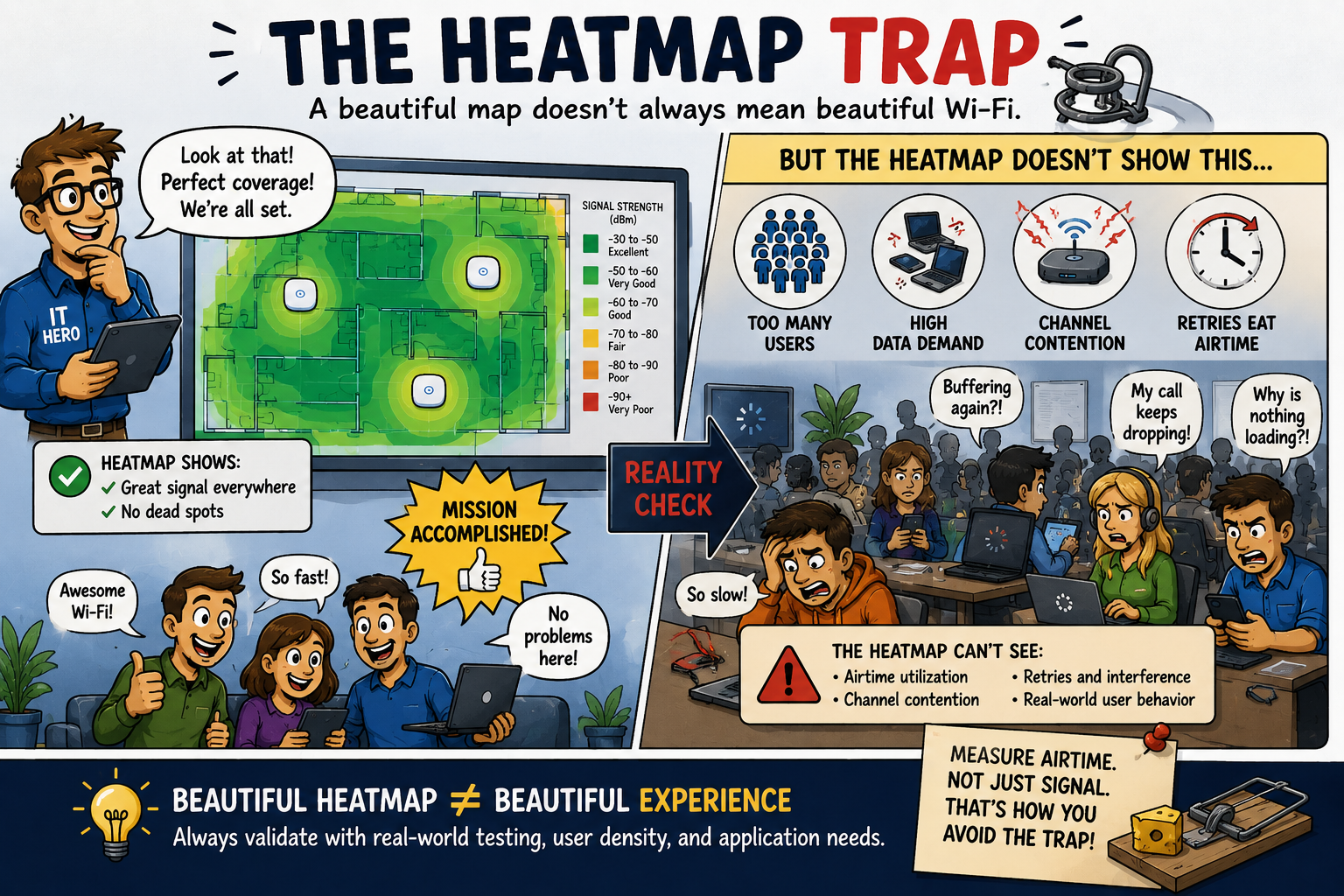
The Heatmap Trap
Heatmaps are wonderful tools. They're also wonderfully capable of creating false confidence.
A beautiful sea of green coverage often convinces people that the network must be excellent. But a coverage heatmap tells only part of the story:
- It doesn't reveal airtime utilization.
- It doesn't show channel contention.
- It doesn't expose excessive retries.
- It doesn't predict how hundreds of clients will behave after everyone arrives for work.
It's rather like judging a restaurant entirely by how attractive the dining room looks. Comfortable chairs don't guarantee fast service. Likewise, excellent coverage doesn't guarantee excellent Wi-Fi.
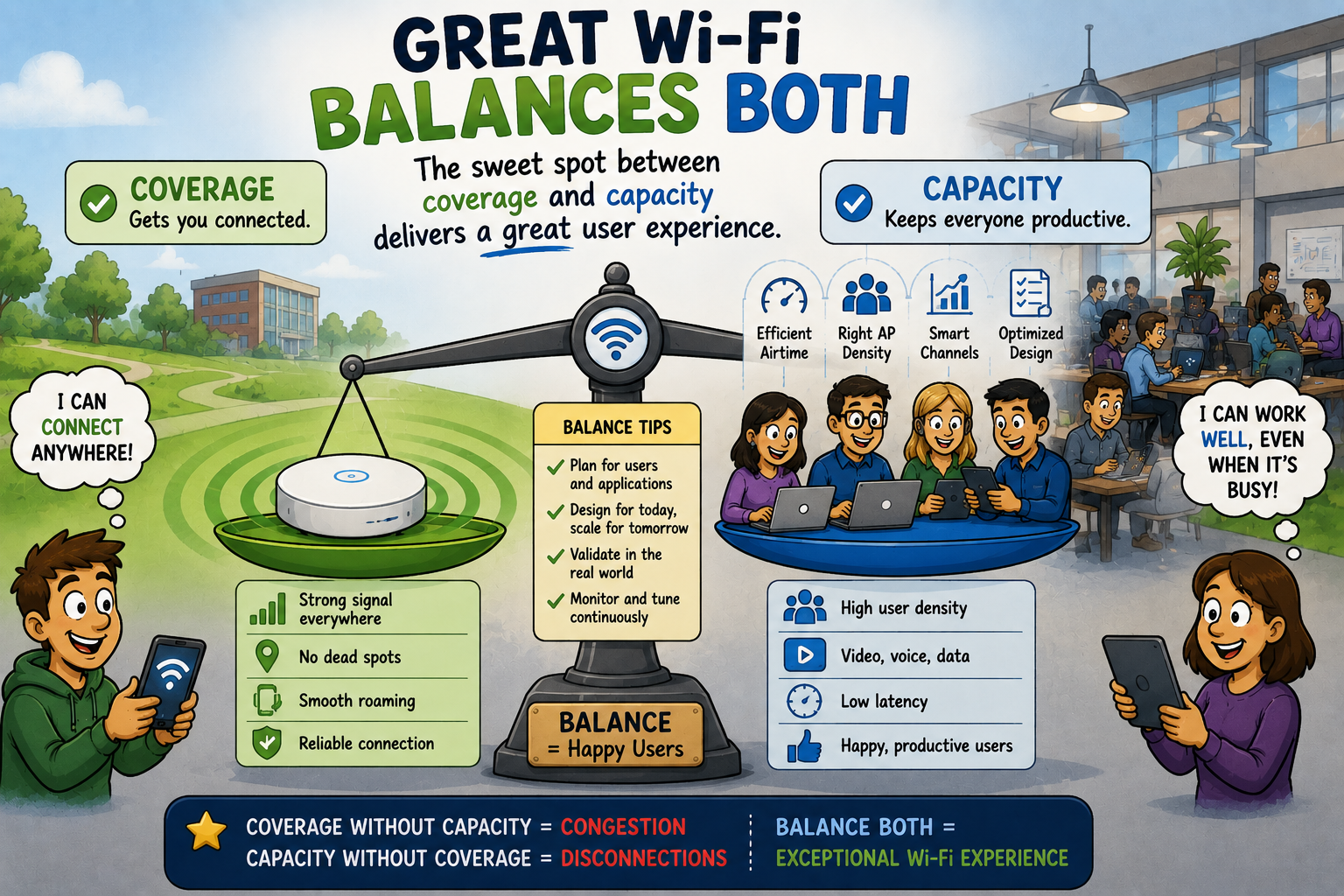
Great Wi-Fi Balances Both
The best enterprise Wi-Fi designs strike a balance:
- Too little coverage creates dead spots and roaming problems.
- Too much overlapping coverage increases co-channel contention.
- Too few APs reduce available airtime.
- Too many poorly planned APs create interference.
Successful wireless design isn't about maximizing one metric. It's about balancing many competing factors to deliver the best possible user experience. That balancing act is why Wi-Fi engineering continues to be both challenging and fascinating. The radios are only part of the equation.
Understanding people, applications, buildings, and business requirements is equally important.
Busting the Myth
Myth: If coverage is good, capacity will be fine.
Coverage ensures devices can connect. Capacity ensures they can all communicate efficiently once connected.
A network with excellent signal strength can still struggle under heavy user density, airtime contention, inefficient channel planning, poor client distribution, or demanding applications.
The next time someone proudly points to a beautiful coverage heatmap and declares the Wi-Fi "finished," remember this: coverage answers where users can connect. Capacity answers how well everyone can work once they do.
Users don't judge Wi-Fi by whether they have bars on their screen. They judge it by whether Teams calls freeze, cloud applications respond quickly, and files transfer without frustration.
Coverage gets users onto the network. Capacity keeps them productive.
Myth = Busted!
===
===
Learn More
If you want to learn more about our instructor-led IT training options, visit our training portfolio page here
===
#ITCareers #Certification #Networking #CyberSecurity #CareerDevelopment #ProfessionalDevelopment
===
About NC-Expert
NC-Expert is a privately-held California corporation and is well established within the Wireless, Security, and CyberSecurity industry certification training, courseware development, and consulting markets.
NC-Expert has won numerous private contracts with Fortune level companies around the world. These customers have depended on NC-Expert to train, advise, and mentor their staff.
So remember, if you are looking for the best IT training just call us at (855) 941-2121 or contact us
NC-Expert Blog