Wi-Fi Myth Series - Myth #12: Auto Channel Selection ALWAYS Knows Best
Automatic Channel Selection sounds like one of those features we should simply be able to trust:
- the APs monitor the RF environment,
- the Controller gathers data,
- an Algorithm considers interference, utilization, neighboring APs, channel availability, and other metrics,
- then Radio Resource Management (RRM) does its “thing” and selects the best channels.
Wonderful! One less problem for the wireless engineer to worry about... except RF rarely cooperates with anything quite that neatly!
Modern RRM systems are remarkably capable, and automatic channel selection can dramatically simplify the management of large wireless environments, but an algorithm can only make decisions based on the information it collects, the parameters it has been given, and the objectives it has been designed to optimize.
That makes automation a powerful engineering tool. It does not make it the engineer.
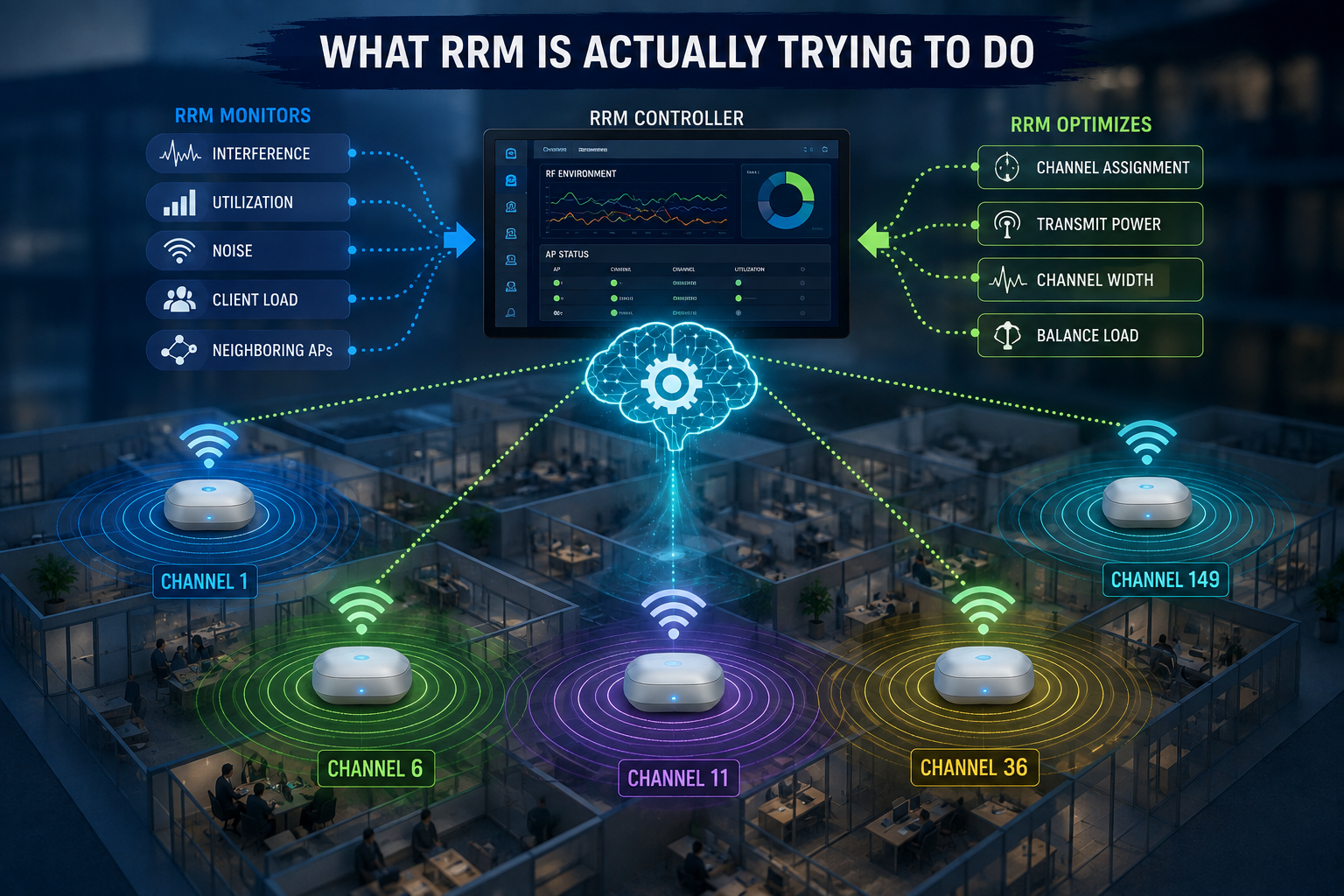
What RRM Is Actually Trying to Do
RRM continuously gathers information about the wireless environment and uses that information to make decisions about radio configuration.
Depending on the platform, those decisions can include:
- channel assignment,
- transmit power,
- channel width, and
- responses to changing interference conditions.
Dynamic Channel Assignment (DCA), for example, may consider factors such as neighboring APs, channel utilization, interference, noise, and traffic load when evaluating whether another channel would provide a better result.
This is significantly more sophisticated than simply asking, “Which channel looks quietest?” But there is an important distinction: RRM sees RF measurements but the engineer understands the network.
An algorithm may identify Channel 100 as an excellent candidate. It does not necessarily know that a particular population of client devices behaves poorly on DFS channels, that the conference room is about to host 200 people, or that a warehouse scanner buried somewhere in the inventory system only seems happy under very particular RF conditions. The algorithm knows what it has been designed to know.
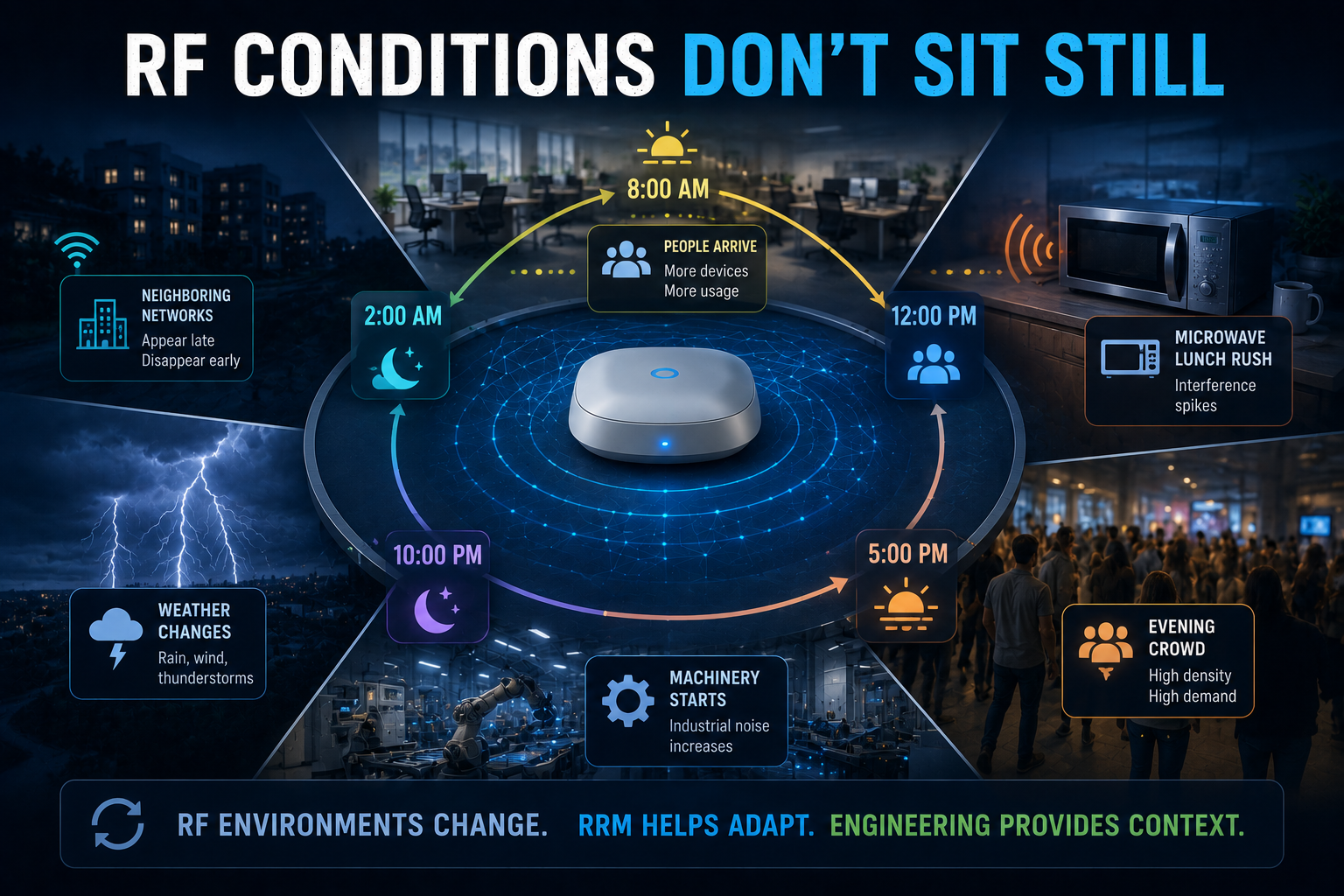
RF Conditions Don't Sit Still
One of the strongest arguments for automatic channel selection is also one of the reasons engineers need to keep watching it: RF environments change.
Some of the changes can include:
- People arrive
- Doors open
- Machinery starts operating
- Neighboring networks appear
- Temporary hotspots come online
- Bluetooth devices multiply
- Radar events occur
- An innocent microwave begins its lunchtime “assault” on 2.4 GHz
Yesterday's excellent channel plan may not be today's excellent channel plan. RRM can respond to these changes far faster than an engineer manually reviewing hundreds or thousands of radios. That is precisely where automation shines.
But reacting to changing RF conditions isn't necessarily the same thing as understanding them.
Imagine this scenario: an algorithm detects increased interference and moves an AP to another channel. From its perspective, the change improves the calculated RF environment. However, from the user's perspective, the channel change may cause a brief interruption, influence roaming behavior, move clients onto a channel they handle poorly, or simply relocate the problem.
The algorithm may have successfully optimized its metric, while the humans are wondering why their video conference call just hiccupped.
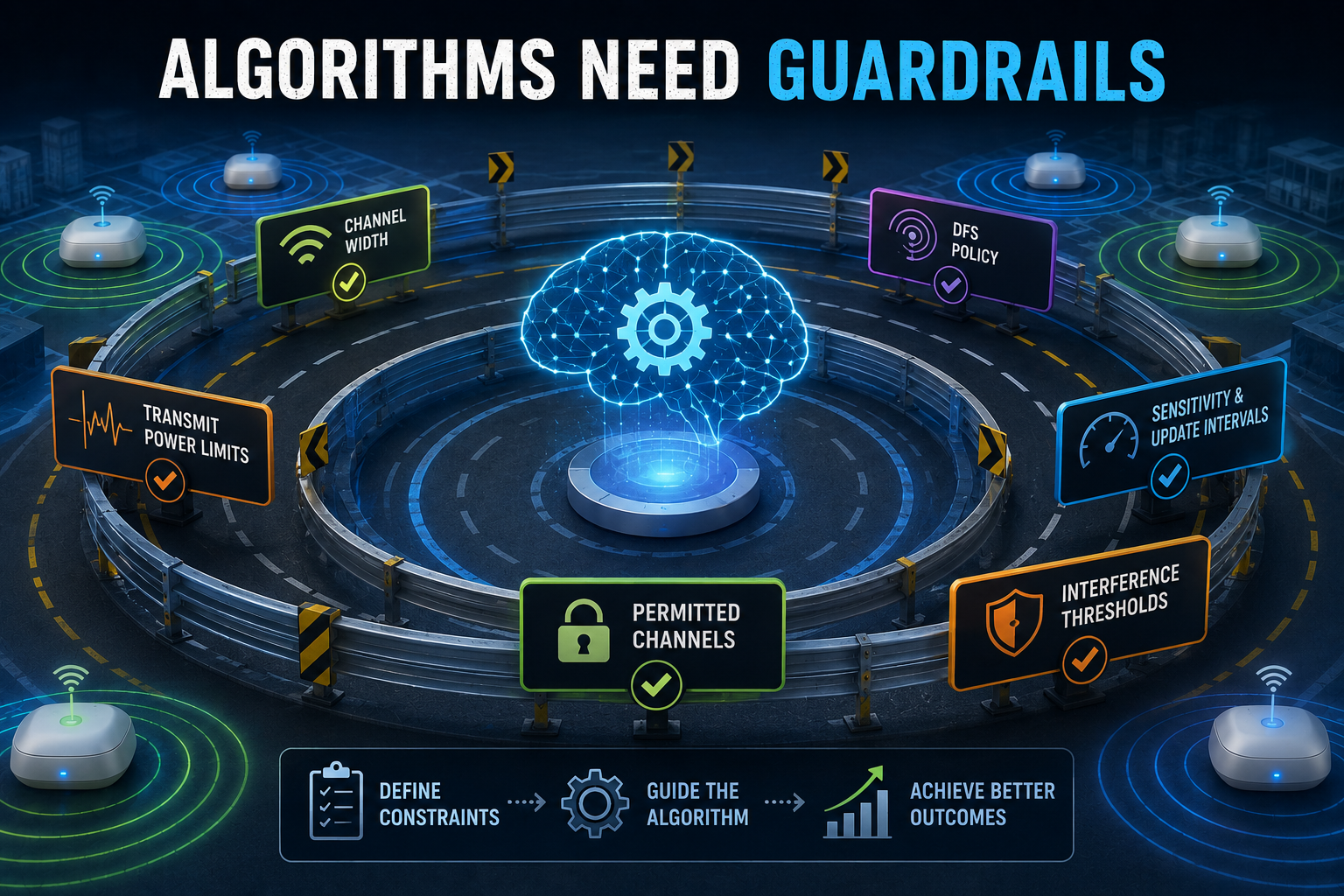
Algorithms Need Guardrails
Automatic channel selection is heavily influenced by configuration:
- Which channels are available for selection?
- Are DFS channels included?
- What channel widths are permitted?
- How sensitive should the system be to environmental changes?
- How frequently should optimization occur?
- Should neighboring networks influence channel decisions?
- How should interference, utilization, noise, and AP load be weighted?
...these aren't administrative details, they define the playing field on which the algorithm operates.
Give an RRM system sensible constraints based on a good RF design and it can be extremely effective. Leave everything at its defaults, without understanding how those defaults interact with the environment, and the results may be considerably less impressive. “Auto” should not mean “unconfigured.”
For example, in high-density environments, allowing excessively wide channels can dramatically reduce the number of usable channel combinations. Automatic channel selection cannot manufacture additional spectrum. If you've handed the algorithm a poorly designed channel-width strategy, it can only optimize within that constraint.
This would be like giving someone four parking spaces and six trucks, then criticizing their parking algorithm.
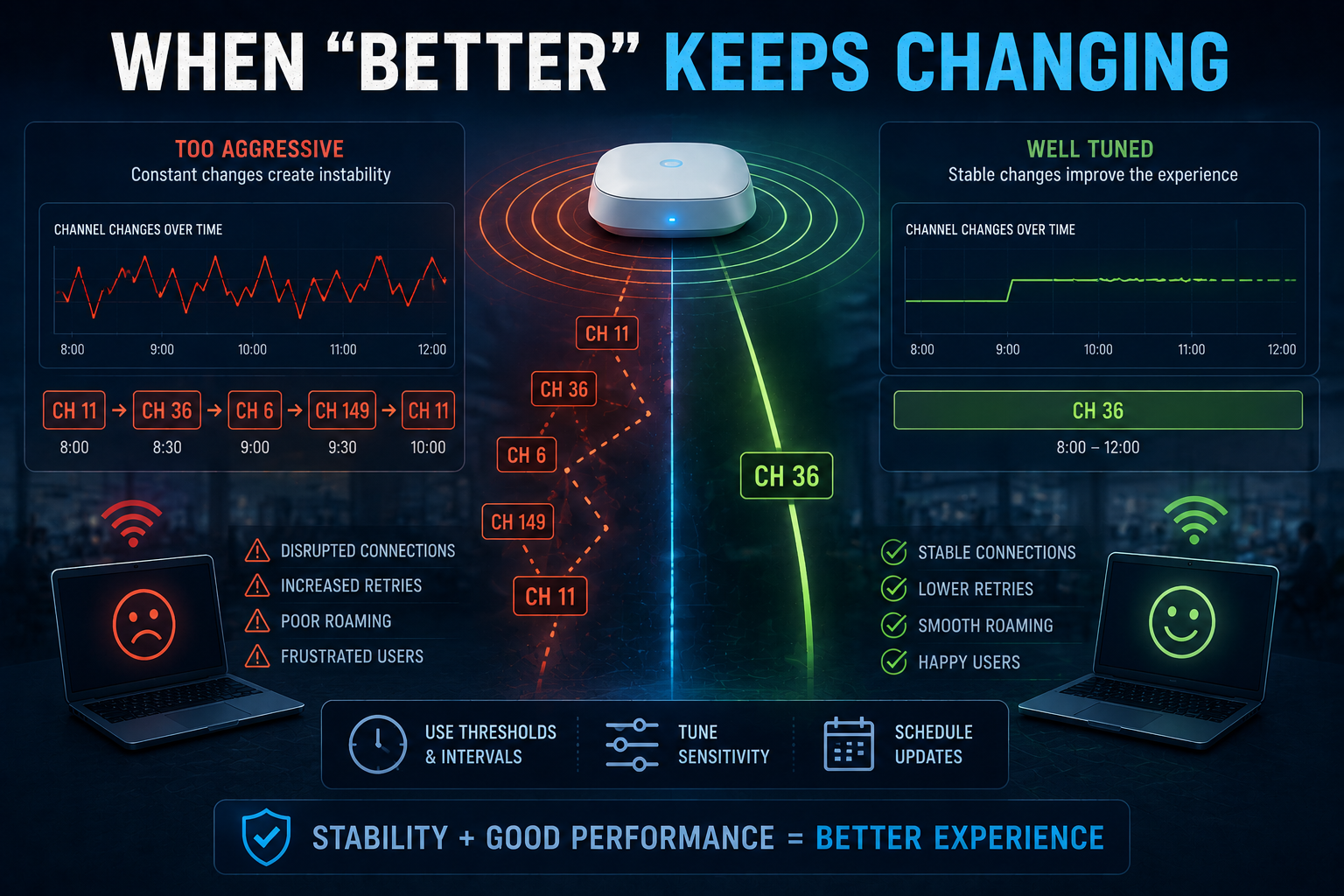
When “Better” Keeps Changing
There is another consideration: stability. If an automatic system is configured too aggressively, changing RF measurements can result in repeated channel adjustments.
What appears mathematically better at one moment, may not remain better for long.
This is why mature RRM implementations include mechanisms such as:
- thresholds,
- sensitivity settings,
- scheduling,
- update intervals, and
- other controls intended to prevent unnecessary changes.
The objective isn't simply to find the theoretically best channel every few minutes instead a stable, slightly imperfect RF environment can sometimes provide a better user experience than a theoretically “optimized” environment that keeps changing underneath the clients.
Wireless engineers need to look beyond the resulting channel map, and:
- Check channel utilization,
- Examine retry rates,
- Look at contention,
- Review interference,
- Watch client behavior,
- Investigate roaming, and
- Examine historical RRM events and ask why the system made a change (rather than simply accepting that it did).
Automation becomes far more useful when engineers understand its decisions.
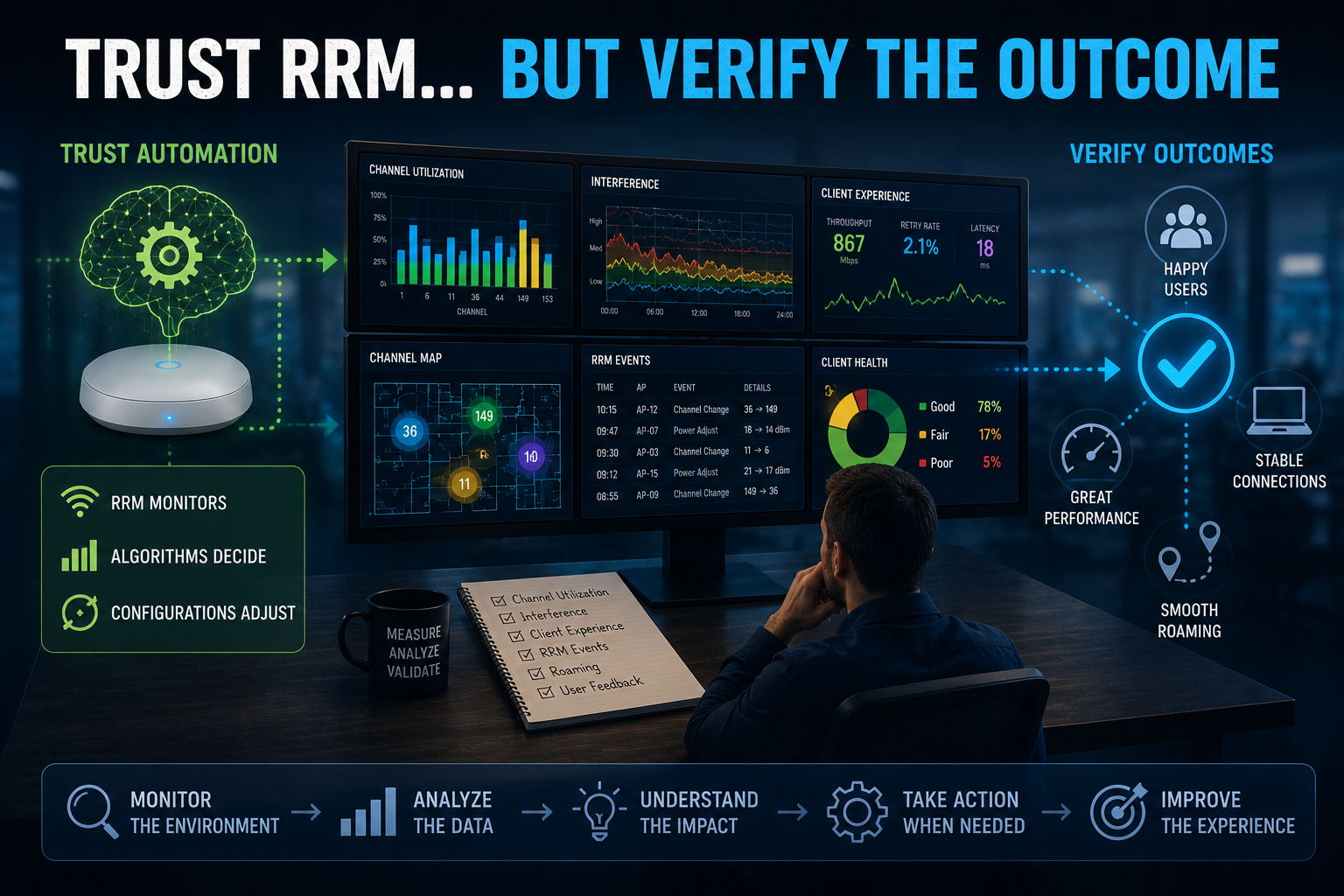
Trust RRM... but Verify the Outcome
None of this means automatic channel selection is bad, in fact, quite the opposite.
Manually maintaining channel assignments across a large enterprise WLAN while RF conditions constantly change would be tedious, difficult to scale, and frequently less effective than a properly configured RRM system.
The mistake is in assuming that enabling automation transfers responsibility for RF performance from the engineer to the algorithm.
Good wireless engineering increasingly involves managing automation, not avoiding it:
- Define appropriate channel sets,
- Configure sensible channel widths,
- Establish appropriate power boundaries,
- Understand DFS implications,
- Tune sensitivity where necessary,
- Monitor what the system changes,
- Correlate those changes with actual client experience, and
- Most importantly, investigate when the network's definition of “optimal” doesn't match the users' definition.
RRM can process enormous amounts of RF information and can continuously adjust the network in ways no human engineer could realistically manually duplicate, but the engineer still provides something the algorithm doesn't have: Context.
Busting the Myth
Myth: Auto Channel Selection Always Knows Best
Auto Channel Selection knows the best answer that its algorithm can determine from:
- the measurements it has collected,
- the configuration you've provided, and
- the choices you've allowed it to make.
...this is really important to understand.
RRM should be treated as an exceptionally capable assistant to RF engineering... not a replacement for it.
Give automation good design, appropriate constraints, meaningful configuration, and ongoing oversight, and it can make an excellent WLAN considerably easier to operate.
But, give it poor assumptions and unlimited freedom, and it will very efficiently automate those assumptions.
The best channel plan isn't created by choosing between automation and engineering... it's created when automation is guided by engineering.
Summary: Auto channel selection doesn't always know best.
Myth = Busted!
===
===
Learn More
If you want to learn more about our instructor-led IT training options, visit our training portfolio page here
===
#ITCareers #Certification #Networking #CompTIA #CWNP #CyberSecurity #CareerDevelopment #ProfessionalDevelopment
===
About NC-Expert
NC-Expert is a privately-held California corporation and is well established within the Wireless, Security, and CyberSecurity industry certification training, courseware development, and consulting markets.
NC-Expert has won numerous private contracts with Fortune level companies around the world. These customers have depended on NC-Expert to train, advise, and mentor their staff.
So remember, if you are looking for the best IT training just call us at (855) 941-2121 or contact us
NC-Expert Blog