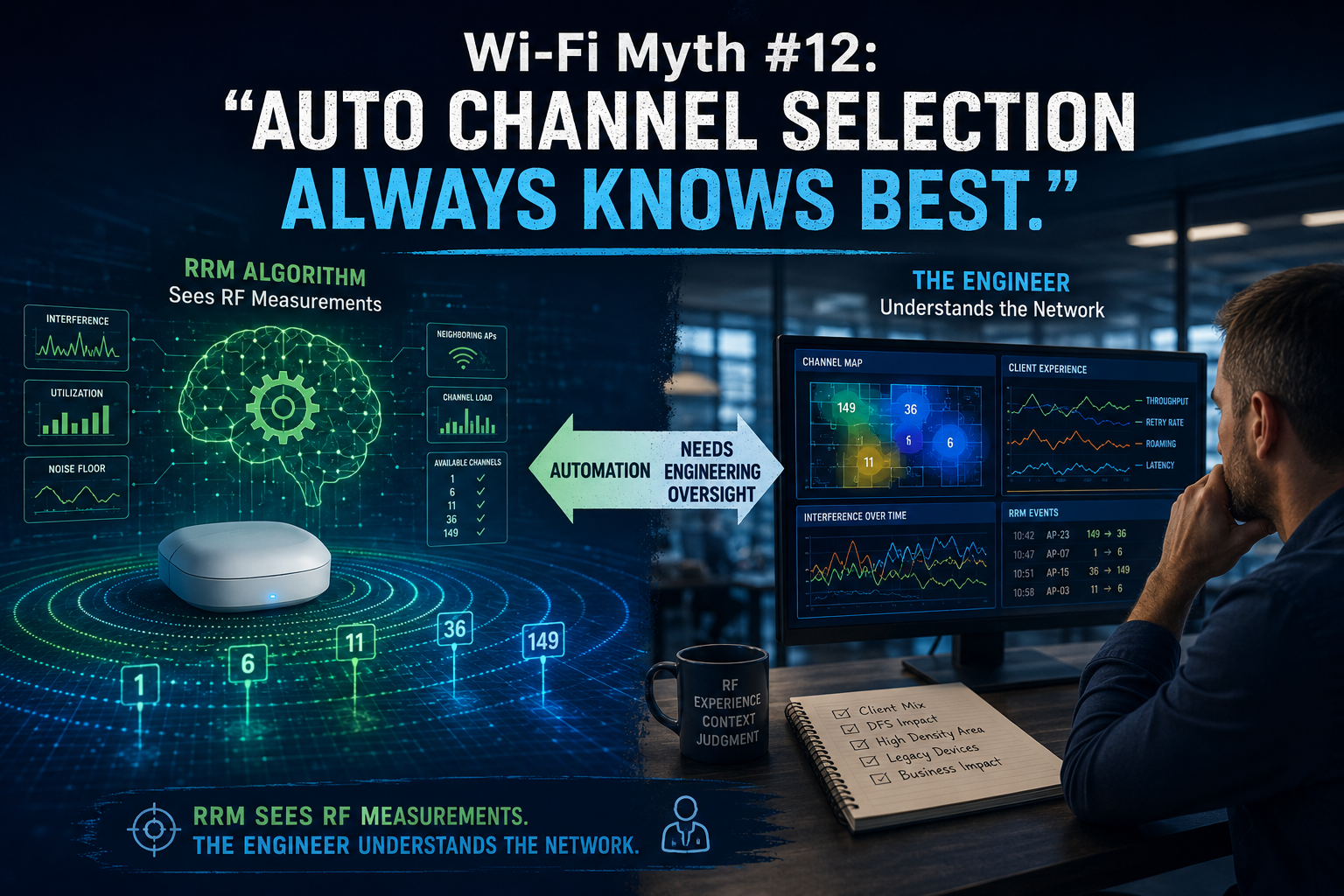
Wi-Fi Myth Series - Myth #10: The AP Is Up, So the Wi-Fi Must Be Fine
There is something wonderfully reassuring about seeing a row of green APs on a wireless dashboard: APs connected; radios operational; no obvious alarms; everything green. Excellent! The Wi-Fi must be fine...
Except, of course, the users are complaining that Teams calls are breaking up, handheld scanners keep disconnecting, authentication takes forever, and someone in Accounting has discovered that turning Wi-Fi off and back on again temporarily fixes everything.
Welcome to one of the more persistent myths in enterprise wireless: if the AP is up, the Wi-Fi must be working.
An operational AP tells us something useful... but it tells us surprisingly little about the experience of the clients actually using the network.
“Up” is an Infrastructure State
When a monitoring platform reports that an AP is up, it usually means the infrastructure can communicate with it.
It tells us:
- the AP has power
- its Ethernet connection is functioning
- it may have established its management or CAPWAP connection
- its radios are probably operational
- it hasn't disappeared into the networking equivalent of a “black hole”
...all good things.
But none of those things proves that a client can successfully use an application.
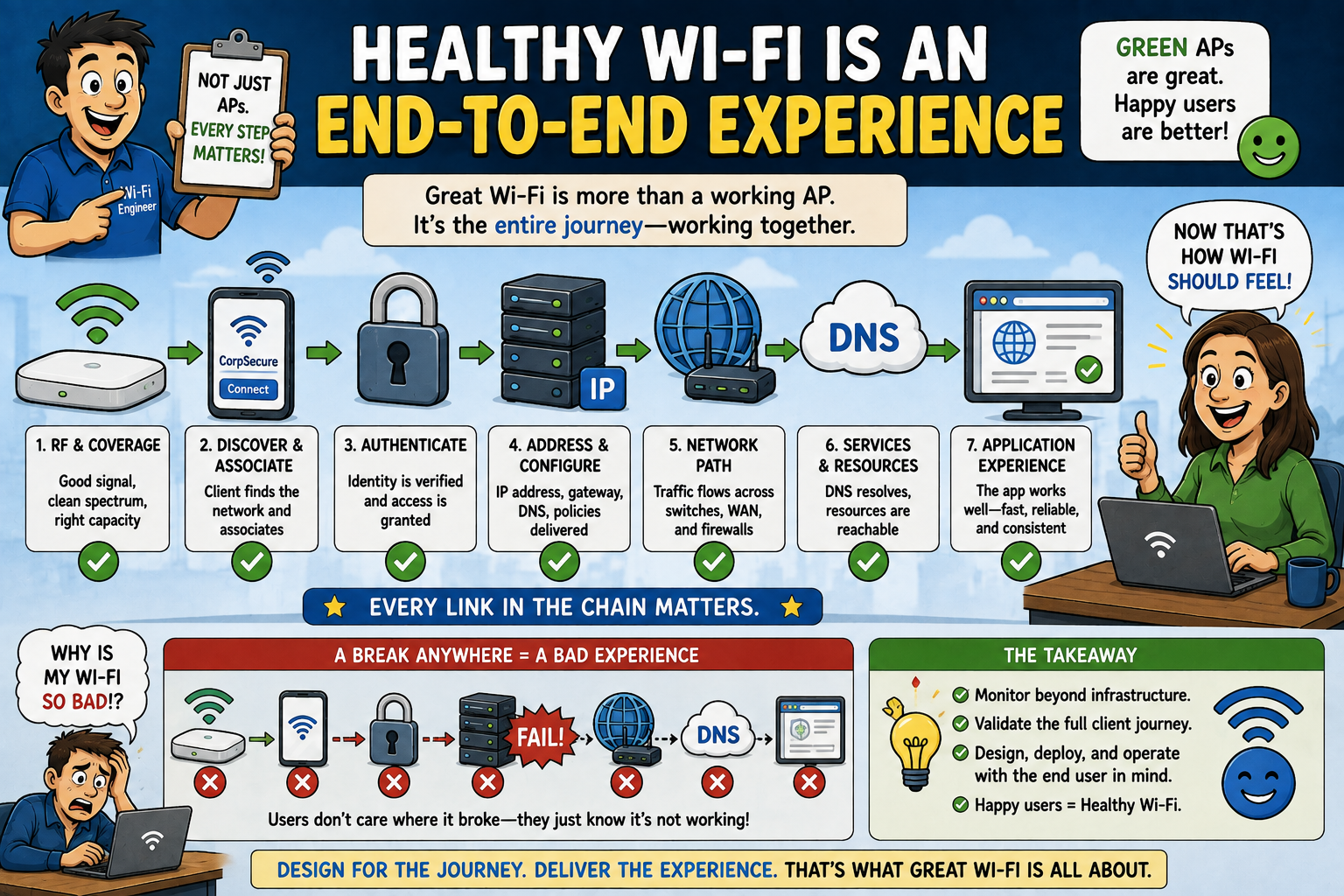
Consider what still has to happen after the AP proudly announces its existence. A client must:
- discover the WLAN
- associate
- authenticate
- obtain the appropriate network configuration
- reach its default gateway
- resolve DNS
- access the required network resources, and
- maintain sufficient RF performance to exchange data reliably.
Depending on the environment, that journey may involve:
- 802.1X
- RADIUS
- DHCP
- DNS
- VLANs
- ACLs
- firewalls
- roaming mechanisms
- upstream switching
- WAN connectivity
- cloud services
...and several other systems waiting for their opportunity to make your afternoon more “interesting”. ;-)
The AP actually being operational is merely one part of that chain!
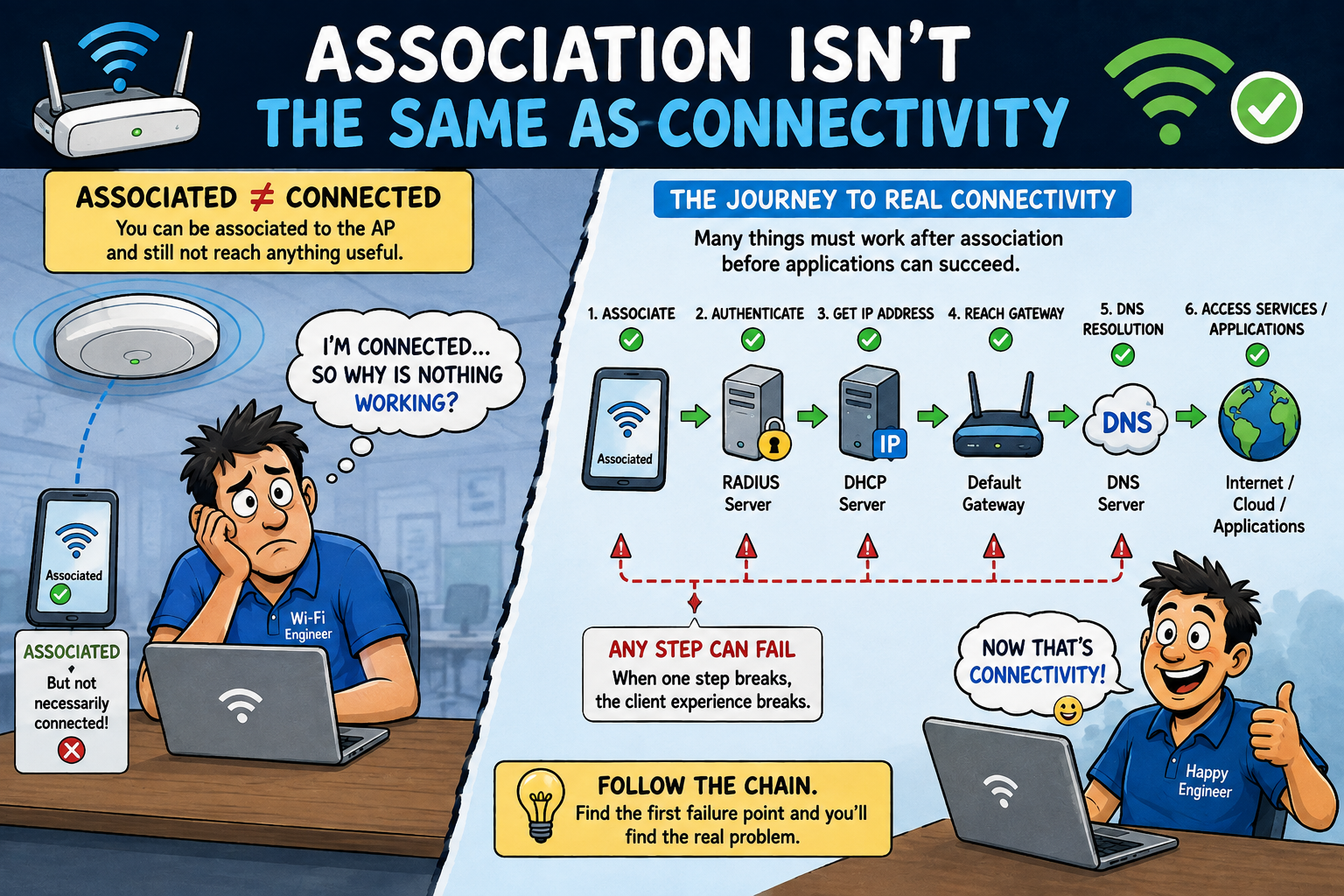
Association Isn't the Same as Connectivity
Seeing clients associated with an AP doesn't necessarily mean everything is fine. Association tells us that a particular stage of the Wi-Fi conversation succeeded, but it doesn't tell us that the entire conversation ended "happily".
A client might associate successfully, but fail authentication. It might authenticate successfully, but fail to obtain an IP address. Maybe it obtained an IP address, but is unable to reach its gateway. It might reach the gateway, but fail DNS resolution. Or... everything might technically work, while latency, retransmissions, contention, roaming behavior, or packet loss make the network practically unusable.
This distinction matters, because wireless troubleshooting often becomes much easier when we stop asking, “Is the Wi-Fi working?” and start asking, “How far through the connection process did the client get?” That question gives us somewhere useful to begin our hunt for issues.
Green Dashboards Can Hide Unhappy Clients
Modern WLAN management platforms provide extraordinary visibility. But dashboards can also encourage engineers to focus on infrastructure health, rather than client experience.
Twenty APs can be green, while dozens of users are having a terrible day...
Perhaps an AP is operating perfectly, but one radio is experiencing severe contention?
Maybe clients are connecting at unexpectedly low data rates?
Is it possible that retry percentages have climbed dramatically?
Perhaps a DHCP scope is exhausted?
Is a RADIUS server responding slowly?
Perhaps DNS is misbehaving?
Maybe a VLAN isn't being transported correctly (somewhere upstream)?
Could it be that the AP is happily serving clients while an application, beyond the wireless network, is struggling?
From the AP's perspective, life may be excellent. BUT, from the user's perspective, Wi-Fi is “broken”. (sad face)
Here’s the kicker: both observations
can be correct.
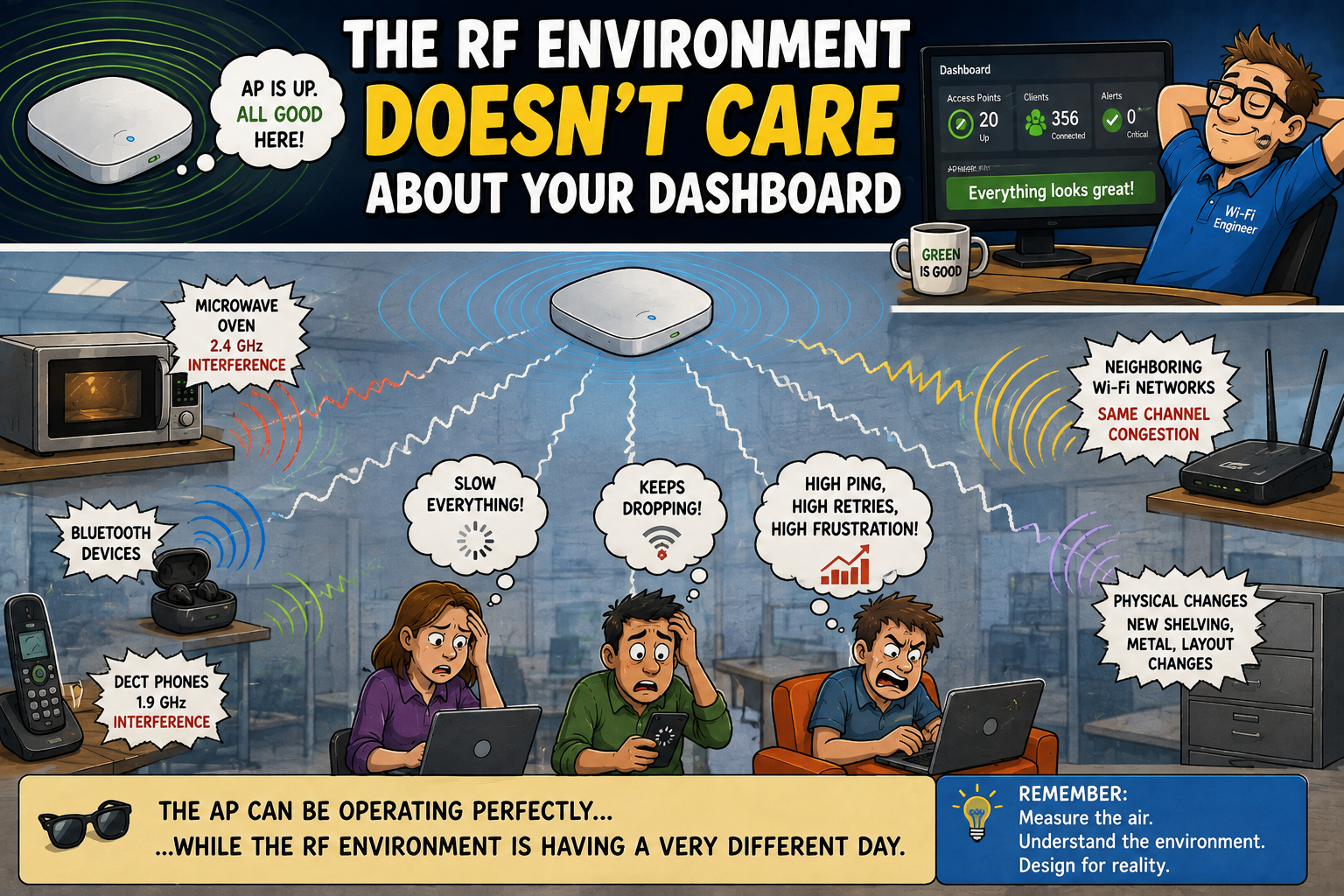
The RF Environment Doesn't Care About Your Dashboard
There is another important distinction: an AP being operational tells us very little about the quality of the RF environment surrounding it. The radio can be transmitting exactly as configured, while the channel is heavily utilized.
What could have happened? Well, potentially: co-channel contention may have increased; a neighboring network may have appeared; non-Wi-Fi interference may be affecting airtime; a physical change to the environment may have altered propagation; client distribution may have changed dramatically, since the network was designed. The AP could remain "green" throughout all of this... after all, the AP's job isn't to become "emotionally distressed" because someone installed a giant metal shelving system next to it. That's our job!
For experienced Wi-Fi engineers, this is why RF measurements, spectrum analysis, client statistics, roaming behavior, retries, channel utilization, and packet captures remain so valuable. Infrastructure status gives us one perspective, while over-the-air behavior can give us another.
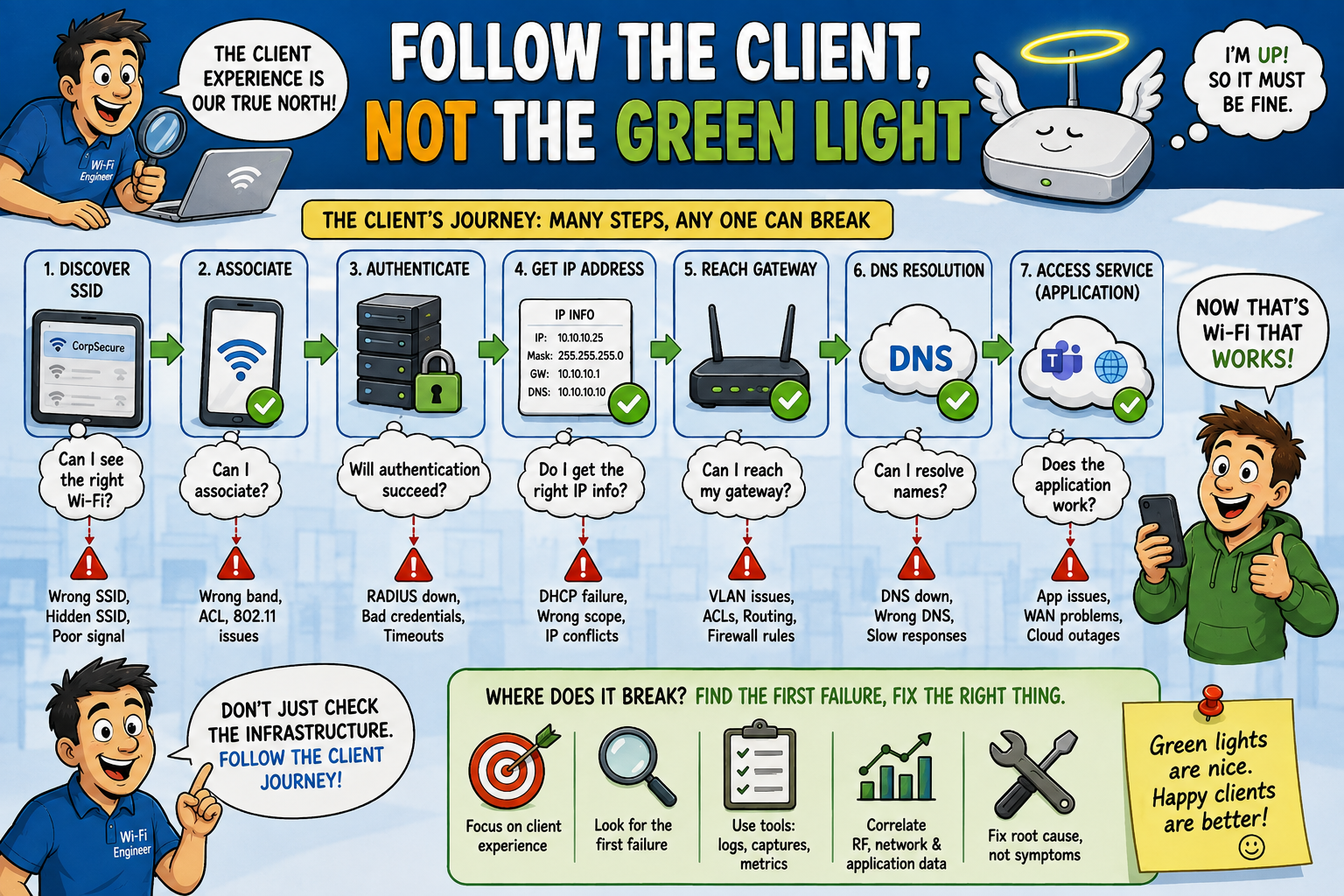
Follow the Client, Not the Green Light
When troubleshooting, one of the most useful habits is to follow the client's journey through the network:
- Can it see the expected SSID?
- Can it associate?
- Does authentication complete?
- Does it receive the correct IP address, subnet, gateway, and DNS information?
- Can it reach the gateway?
- Can it resolve names?
- Can it reach the required service?
- What does the RF environment look like?
- Are frames being retried?
- Are data rates reasonable?
- What happens when the client roams?
- Where does the first observable failure occur?
That last question is often far more valuable than staring at an AP status page.
Troubleshooting guidance can illustrate the same layered reality: a wireless client may need to associate successfully, obtain an IP address, and perform DNS resolution, before higher-layer services (such as web authentication) can work.
DHCP problems can also exist, despite an operational AP, because client traffic still depends on the appropriate VLAN, switching, relay, server, and upstream configuration.
The more precisely we identify where the client journey breaks, the smaller our troubleshooting "universe" becomes.
Healthy Wi-Fi Is an End-to-End Experience
Ultimately, Wi-Fi exists to provide connectivity to clients... not to produce attractive collections of green icons!
Infrastructure monitoring is important. AP availability definitely matters. If an AP is down, we clearly have something to investigate. But AP availability should be treated as just one health indicator... not as proof of wireless service quality.
A better definition of healthy Wi-Fi considers the complete experience: RF conditions, association, authentication, addressing, network services, roaming, application performance... and the *actual behavior* observed by users.
Remember an important fact: Users don't care whether the controller says the AP has been “Up for 127 days”. They care whether their call works when they walk down the hallway!
Busting the Myth
Myth: The AP is Up, So the Wi-Fi Must be Fine.
Reality: An operational AP proves that an AP is operational. That's about it.
Good Wi-Fi requires that the entire client journey works: from RF, through association and authentication, to DHCP, DNS, upstream connectivity, roaming, and ultimately the application the user is trying to reach.
So, the next time every AP on the dashboard is glowing green, while users insist the Wi-Fi is broken, don't dismiss the complaint: the interesting troubleshooting phase may only just be beginning...
The AP being "up" tells you the infrastructure is alive. The client experience tells you whether the Wi-Fi is actually working.
Myth = Busted!
===
===
Learn More
If you want to learn more about our instructor-led IT training options, visit our training portfolio page here
===
#ITCareers #Certification #Networking #CompTIA #CWNP #CyberSecurity #CareerDevelopment #ProfessionalDevelopment
===
About NC-Expert
NC-Expert is a privately-held California corporation and is well established within the Wireless, Security, and CyberSecurity industry certification training, courseware development, and consulting markets.
NC-Expert has won numerous private contracts with Fortune level companies around the world. These customers have depended on NC-Expert to train, advise, and mentor their staff.
So remember, if you are looking for the best IT training just call us at (855) 941-2121 or contact us
NC-Expert Blog