Wi-Fi Myth Series – Myth #6: A Site Survey Is Optional
Every Wi-Fi engineer has heard some version of it, "Can't we just install the access points where the old ones were?" Or perhaps, "The floorplan looks straightforward. Let's save some time and skip the survey." Occasionally, someone even says the dangerous words, "We've done hundreds of these buildings. They're all basically the same."
That's usually the point where experienced wireless engineers quietly smile, knowing that the building is about to teach everyone a valuable lesson because:
- buildings don't read design guides,
- concrete doesn't care about your deployment schedule,
- metal doesn't respect your project budget, and
- radio waves have never once agreed to cooperate, simply because everyone wanted them to.
Let's talk about why a site survey isn't an optional luxury... it's one of the most valuable engineering tools available.
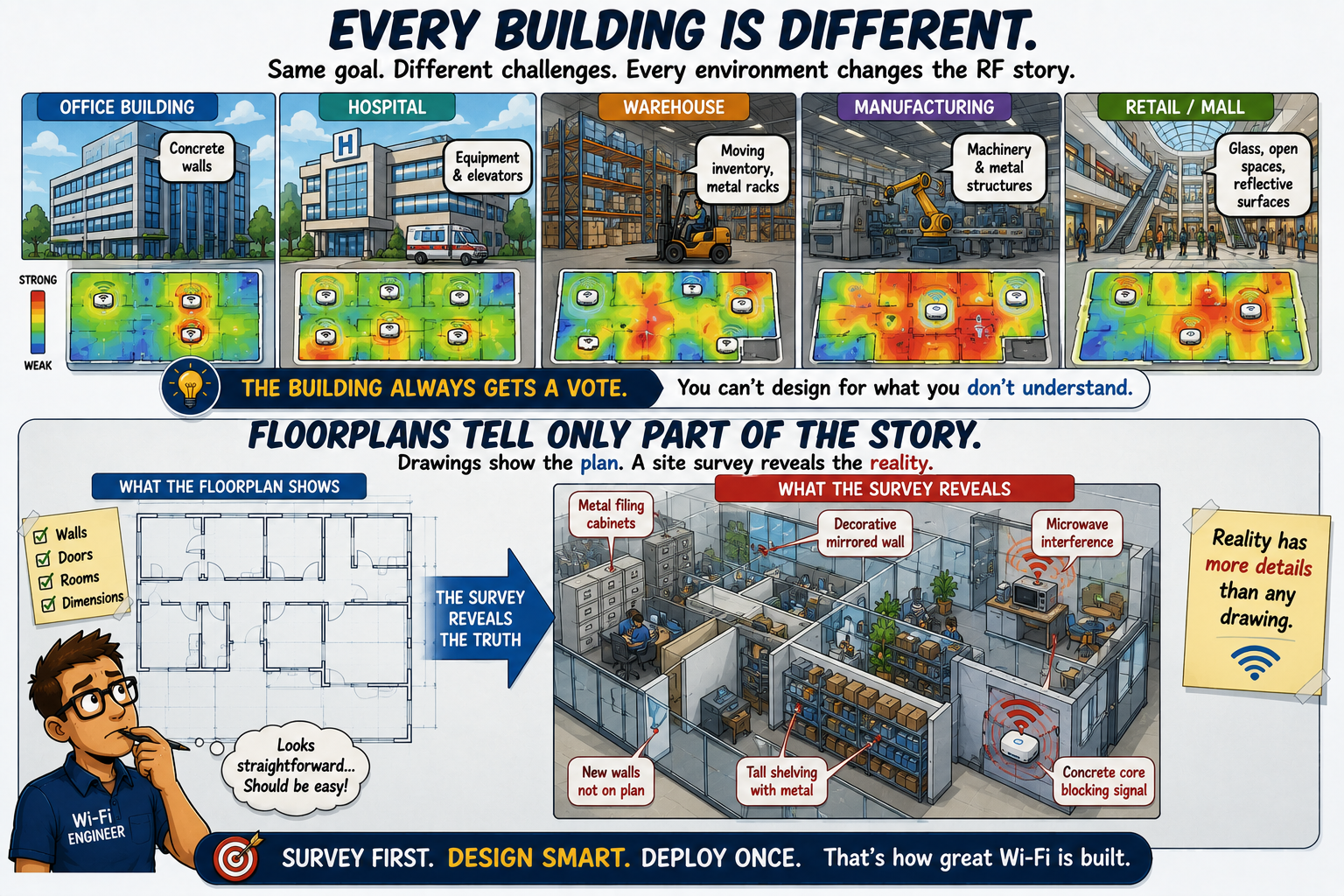
Every Building Is Different
At first glance, two office buildings may appear identical: same square footage, same number of floors, similar room layouts, yet their wireless behavior can be dramatically different:
- one may have reinforced concrete walls,
- another may contain extensive glass partitions,
- the warehouse may be filled with moving inventory,
- a hospital may have elevators, imaging equipment, and countless reflective surfaces,
- a manufacturing facility may contain machinery that wasn't mentioned on any floorplan, and
- remember: even furniture changes RF behavior!
Anyone who has performed enough surveys eventually develops a healthy respect for one simple fact: the
building always gets a vote, too!
Floorplans Tell Only Part of the Story
Architectural drawings are incredibly useful. They tell us dimensions. They identify walls. They show room usage. But they rarely tell the complete RF story.
They don't mention the large metal filing cabinets that now occupy an office. They don't reveal the decorative mirrored wall installed during a renovation. They don't show the rows of fully stocked warehouse shelving. They certainly don't warn you about the microwave in the break room that everyone insists "can't possibly affect the Wi-Fi."
Floorplans are where good designs begin. Site surveys are where good designs become reality.

Radio Waves Are Surprisingly Creative
One of the joys (and occasional frustrations) of wireless engineering is watching radio waves find unexpected paths.
Signals reflect, they scatter, they diffract, and/or they penetrate.
Sometimes - just sometimes - they behave almost exactly as expected. ;)
Other times they seem determined to prove that every prediction model has a sense of humor:
- an open atrium may carry signals much farther than anticipated,
- a concrete stairwell may block them almost completely, or
- metal ceiling structures may reflect energy into unexpected areas.
The only reliable way to understand how RF behaves inside a particular building is to measure it.
Fortunately, that's exactly what site surveys allow us to do.
Validation Beats Assumption
Design Software has become remarkably capable, Predictive Modeling continues to improve every year, and Artificial Intelligence is beginning to assist with wireless planning. These are outstanding tools, but they remain exactly that... tools.
No predictive model can perfectly account for every environmental variable inside a real building – that is exactly why validation surveys remain essential. They answer questions that predictions cannot:
- Did coverage meet expectations?
- Are roaming boundaries where you intended?
- Are adjacent APs interacting as expected?
- Is interference higher than anticipated?
- Did installation changes alter the RF environment?
Engineering progresses by validating assumptions... not by hoping they were correct.
Troubleshooting Starts with Good Data
One of the hidden benefits of a proper site survey appears months (or even years) after installation.
When performance issues arise, engineers have something invaluable: a baseline. They know what "good" looked like.
Without baseline measurements, troubleshooting often becomes detective work:
- Has the RF environment changed?
- Were new neighboring networks installed?
- Did someone move metal shelving?
- Was an AP relocated?
- Did a renovation introduce new attenuation?
Baseline survey data transforms guesswork into engineering. It allows changes to be identified rather than imagined.
Saving Time... Can Cost Time
Ironically, site surveys are sometimes skipped to save money. Unfortunately, the savings often disappear remarkably quickly. Why? Here are some reasons:
- An incomplete design may require additional APs.
- Poor placement may create coverage gaps.
- Improper channel planning may increase contention.
- Users begin reporting intermittent problems.
- Engineers return for troubleshooting.
- Equipment is relocated.
- Settings are adjusted.
...then additional visits follow.
Eventually, the deployment succeeds, but only after far more effort than a survey would have required in the first place.
Experienced wireless engineers understand an important principle: the least expensive site survey is usually the one completed before installation.
Surveys Continue After Installation
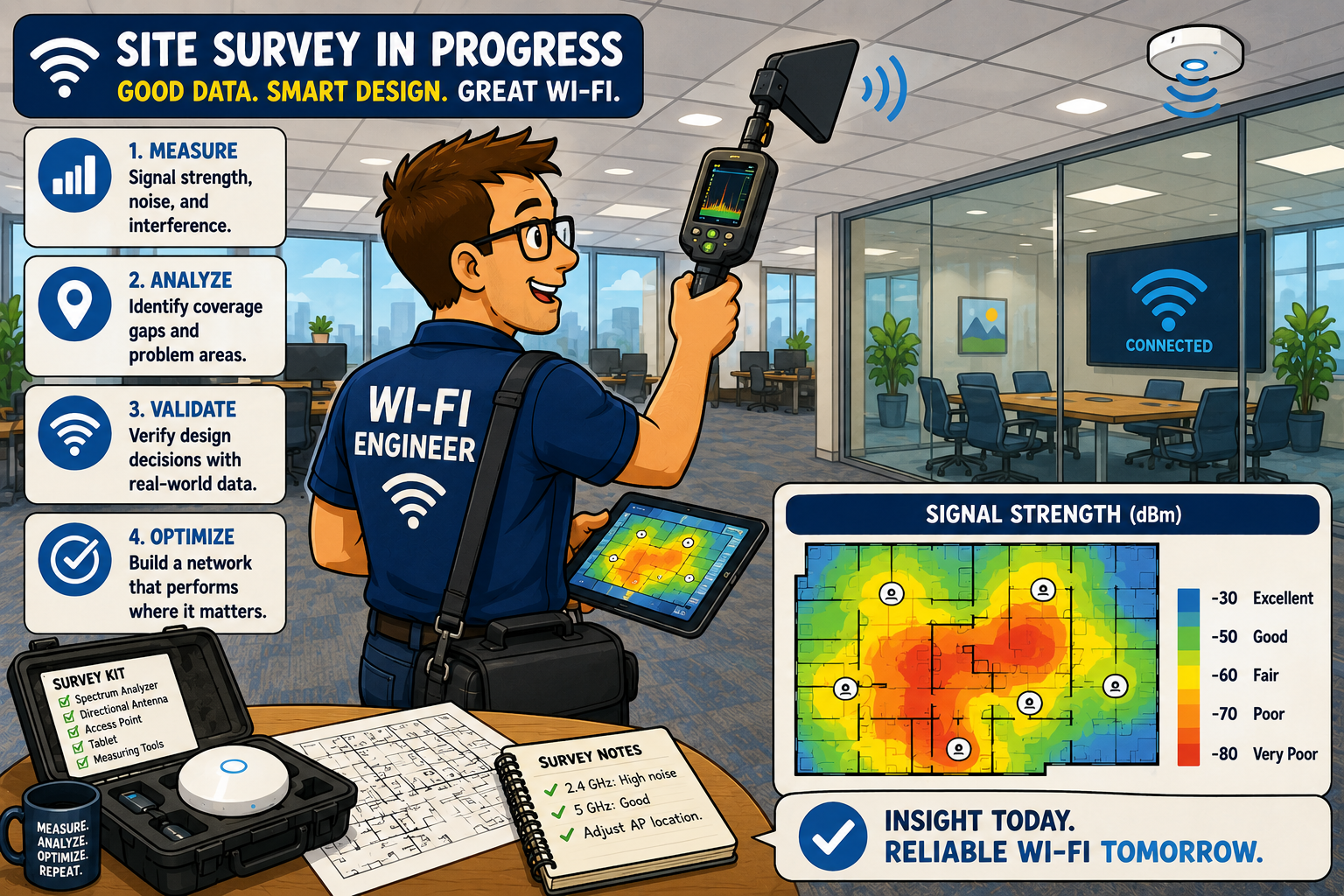
Some people think site surveys happen only before deployment. In reality, they continue throughout the network lifecycle:
- Predictive surveys help create the initial design.
- Validation surveys confirm the installation.
- Troubleshooting surveys investigate user complaints.
- Periodic surveys identify environmental changes before they become widespread problems.
As organizations adopt new applications, higher client densities, or newer Wi-Fi standards, yesterday's excellent design may require adjustments today.
Wireless networks aren't static and good engineering shouldn't be either.
Great Engineers Measure
Perhaps the biggest difference between beginners and experienced Wi-Fi professionals is confidence. Beginners often feel pressure to know every answer immediately. Experienced engineers are comfortable gathering more information before making decisions. They don't assume. They measure. They validate. They verify.
There's an old engineering principle that applies perfectly to wireless networking: "If you didn't measure it, you don't actually know it."
Site surveys embody that philosophy. They're not simply about producing colorful heatmaps. They're about replacing assumptions with evidence.

Busting the Myth
Myth: A site survey is optional.
A site survey isn't paperwork. It isn't a box to check. And it certainly isn't something that exists only to satisfy project documentation. It's one of the most valuable ways to understand how a real RF environment behaves: every building is different; every deployment introduces unique variables; every network benefits from validation.
Predictive models are incredibly useful, but they're only the beginning of the engineering process.
The next time someone suggests skipping the site survey because "it's just another office building," remember this: buildings may look similar but radio waves rarely behave identically.
Great Wi-Fi doesn't happen because we hope the design works ~ it happens because we measure, validate, adjust, and verify.
Good wireless engineering begins with planning... exceptional wireless engineering is confirmed by measurement.
Myth = Busted!
===
===
Learn More
If you want to learn more about our instructor-led IT training options, visit our training portfolio page here
===
#ITCareers #Certification #Networking #CyberSecurity #CareerDevelopment #ProfessionalDevelopment
===
About NC-Expert
NC-Expert is a privately-held California corporation and is well established within the Wireless, Security, and CyberSecurity industry certification training, courseware development, and consulting markets.
NC-Expert has won numerous private contracts with Fortune level companies around the world. These customers have depended on NC-Expert to train, advise, and mentor their staff.
So remember, if you are looking for the best IT training just call us at (855) 941-2121 or contact us
NC-Expert Blog