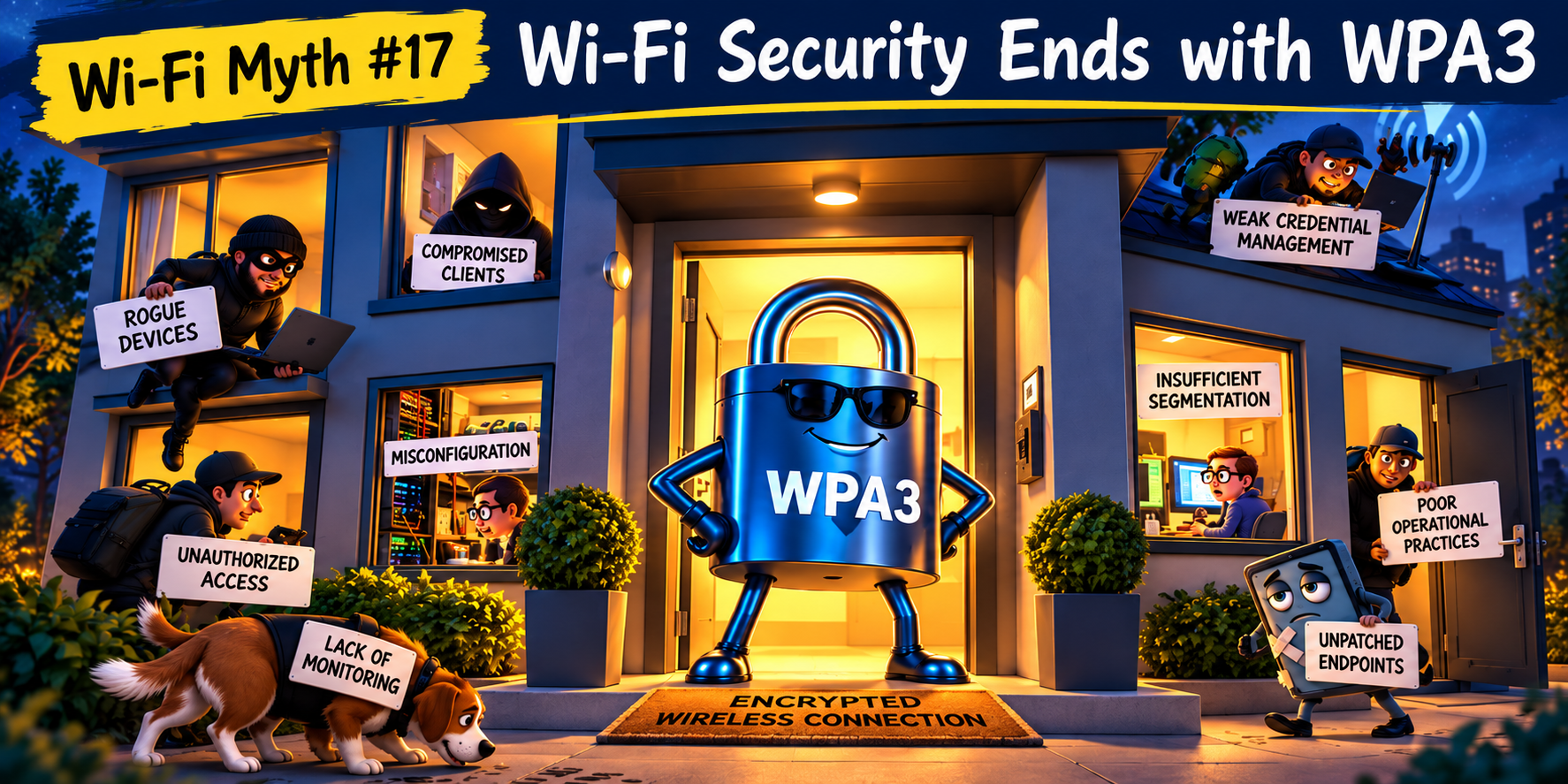
Wi-Fi Myth Series - Myth #7: Roaming Problems are Always Client Problems
Few phrases trigger a knowing smile from experienced Wi-Fi engineers quite like this one, "It's the client's fault."
Someone's video call drops while walking through the office or a warehouse scanner pauses between aisles, voice handsets crackle as users move from one floor to another... then, almost immediately, someone points at the device and confidently declares, "Well... clients decide when to roam."
Technically, they're correct. But, practically, that's only part of the story.
Roaming is one of the most fascinating aspects of Wi-Fi because it isn't controlled by a single device or a single setting. It's a partnership between the client, the infrastructure, and the RF environment. When that partnership breaks down, blaming one side rarely tells the whole story.
Let's bust another myth...
Yes, Clients Make the Decision
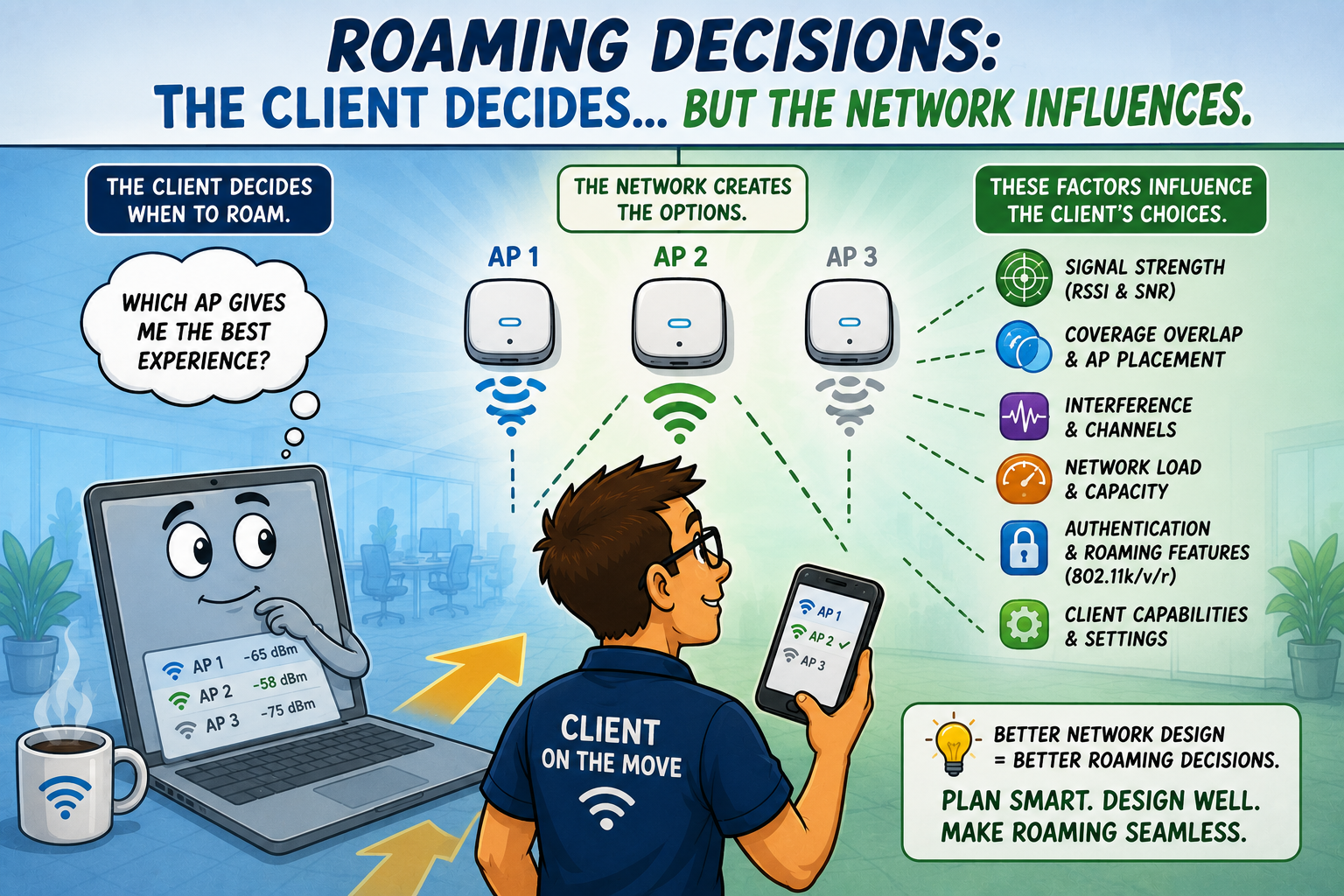
Let's start with the important truth: in almost every Wi-Fi deployment, the client device ultimately decides when to leave one AP and join another.
Laptops, smartphones, tablets, barcode scanners, medical devices, and countless IoT products all use their own roaming algorithms. Some roam aggressively whereas some cling to their current AP for far too long. Others seem convinced that losing the connection entirely is preferable to switching.
Every Wi-Fi engineer has encountered at least one stubborn client that appears almost “emotionally attached” to a particular AP. :)
Client behavior matters, but that's not where the story ends.
Sticky Clients Don't Appear by Magic
A sticky client doesn't wake up one morning and decide to become stubborn.
Often, the network has unintentionally encouraged that behavior... perhaps transmit power has been set too high, or the client continues hearing the original AP long after it should have moved. Maybe neighboring APs aren't providing sufficient overlap or, perhaps, channel planning has increased interference. It could even be because SNR degrades before another AP becomes attractive.
In many cases, what appears to be a client problem actually began as an RF design problem. Clients simply react to the environment we create.
Roaming Starts Long Before Movement
It's tempting to think roaming begins when someone walks down the hallway however, in reality, successful roaming starts during the design phase.
Engineers:
- determine AP placement
- establish coverage targets
- manage overlap
- adjust transmit power
- optimize channel reuse
- validate roaming boundaries during site surveys
By the time a user begins walking through the building, hundreds of design decisions have already influenced what happens next.
Good roaming isn't accidental ~ it's engineered.
More Signal Isn't Always Better
This series has already explored why stronger signal doesn't automatically produce better Wi-Fi. Roaming is another excellent example.
Imagine an AP transmitting with unnecessarily high power... clients continue hearing it from surprisingly long distances. The signal remains usable but isn’t, necessarily, desirable. Meanwhile, a nearby AP may actually provide a much better connection, but the client simply doesn't see enough reason to switch.
Ironically,
excessive coverage can delay roaming. Sometimes reducing transmit power creates smoother roaming because clients encounter a clearer transition between neighboring cells. This is another reminder that Wi-Fi engineering is all about balance.
Fast Roaming Helps, but Doesn't Replace Design
Modern enterprise Wi-Fi includes some impressive technologies:
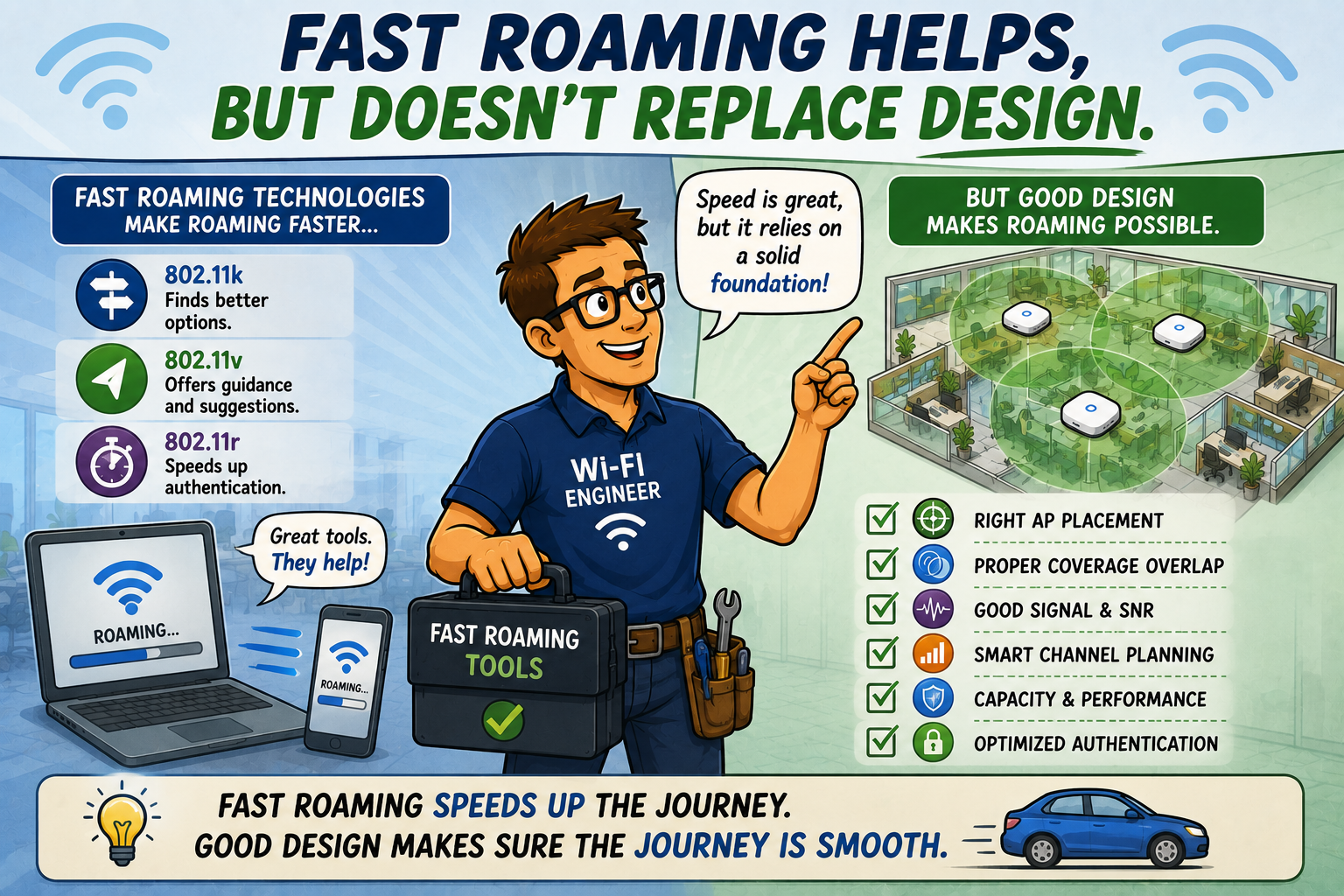
- 802.11k helps clients discover neighboring APs
- 802.11v provides transition suggestions
- 802.11r accelerates authentication during roaming
These technologies absolutely do improve roaming performance when supported by both infrastructure and clients. Notice the important phrase, "when supported." Not every client supports every roaming enhancement. Even among those that do, implementations vary considerably.
Fast roaming technologies are valuable tools, but they're not magic wands. Poor RF design cannot be solved simply by enabling another checkbox in the controller.
User Experience Is the Real Test
Roaming isn't measured by whether a client successfully changes APs, it's measured by whether the user notices.
A warehouse worker shouldn't lose connectivity while scanning inventory.
A doctor shouldn't experience voice interruptions while walking between patient rooms.
A Teams meeting shouldn't freeze every time someone leaves their desk.
When roaming is engineered correctly, users rarely think about it. Probably the highest compliment a wireless engineer can receive is, “nobody notices”.
Everything simply works.
Troubleshooting Requires Evidence
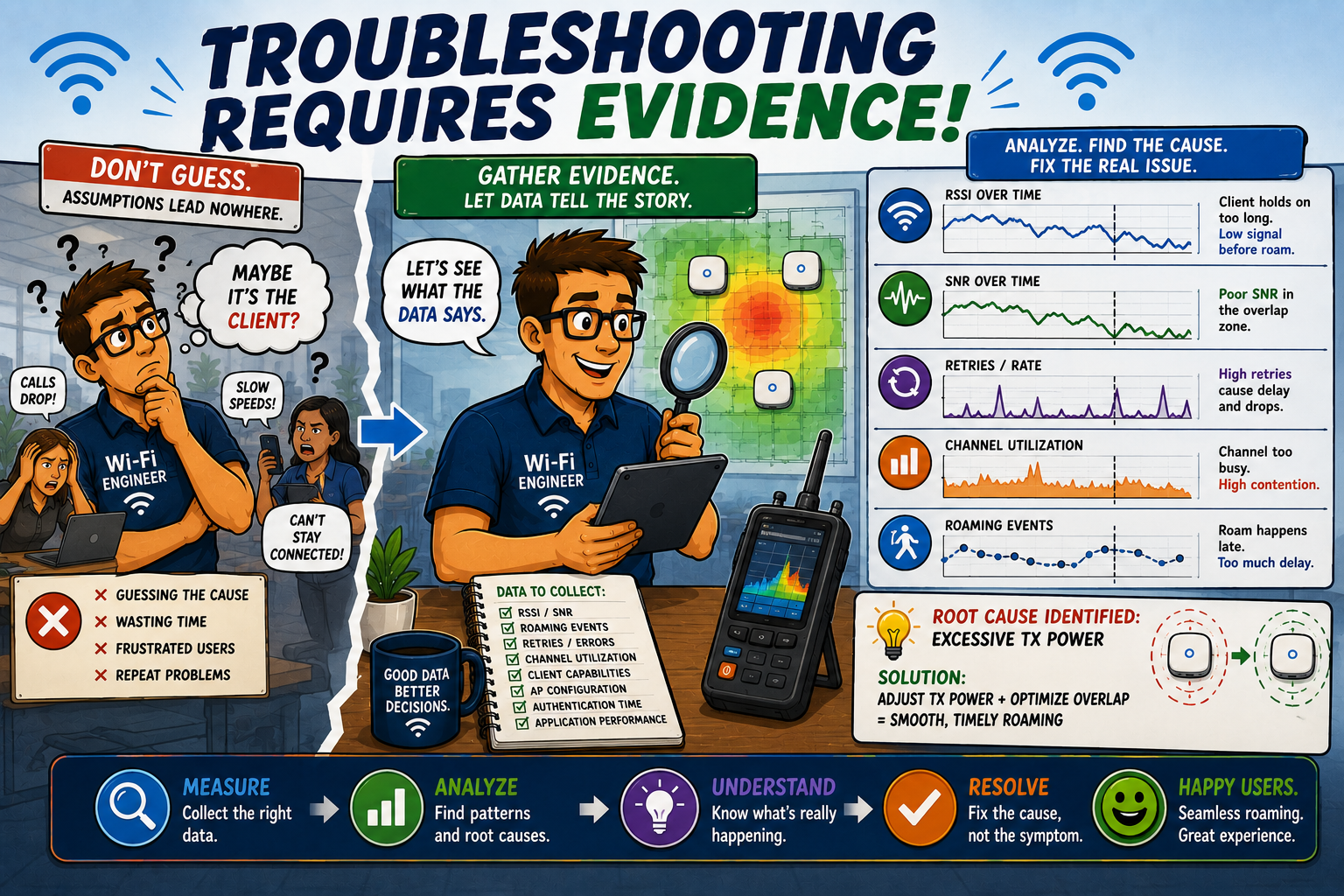
When roaming problems appear, it's tempting to start searching for someone to blame. Experienced engineers take a different approach. They gather evidence:
- What RSSI values exist before roaming?
- What does SNR look like?
- How much overlap exists?
- Are neighboring APs operating on appropriate channels?
- Is retransmission increasing?
- How long does authentication require?
- Does the problem affect every client... or only one device type?
Evidence almost always tells a more interesting story than assumptions... and, usually, a more accurate one.
Great Roaming Is a Team Sport
Perhaps the most important lesson is this: roaming succeeds when multiple components work together...
- Clients
- APs
- Controller settings
- RF design
- Channel planning
- Coverage
- Capacity
- Authentication
- Applications
...none of these exist in isolation.
Blaming only the client is rather like blaming a race car driver while ignoring the condition of the tires, the weather, the track, and the engine. Could the driver make mistakes? Certainly. But that's rarely the entire explanation.
Wi-Fi works the same way.
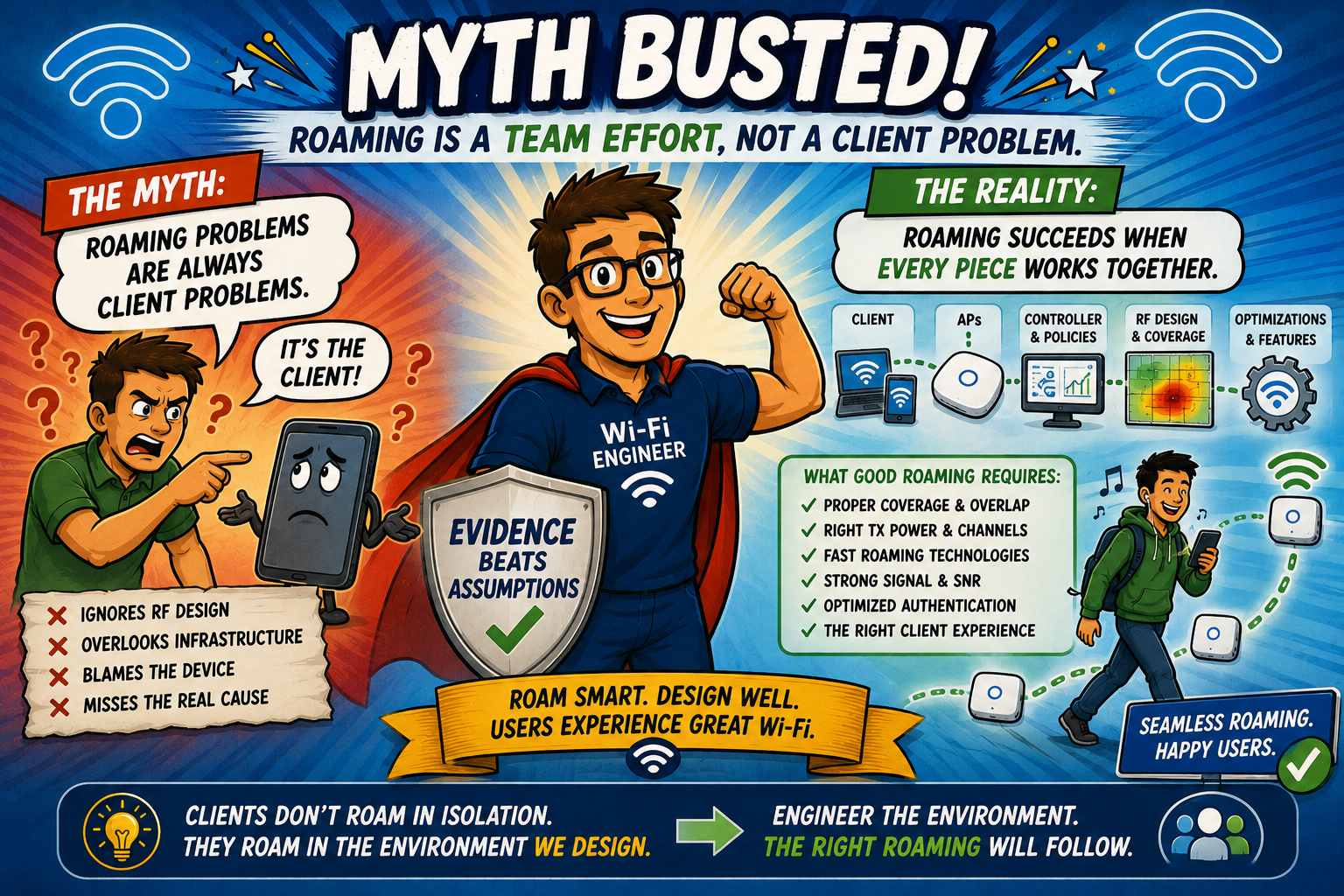
Busting the Myth
Myth: Roaming problems are always client problems.
Clients absolutely decide when to roam, but they make that decision based on the RF environment, signal quality, neighboring AP availability, supported roaming features, and countless design choices made long before the user starts moving.
Sticky clients often reveal infrastructure problems which could be caused by poor AP placement, excessive transmit power, insufficient overlap, channel planning issues, authentication delays, or a combination of several factors working together.
The next time someone quickly declares, "It's just a client issue," remember this: clients don't roam in isolation, they roam inside the wireless environment we design.
Great roaming isn't achieved by hoping clients make perfect decisions, it's achieved by building a network that helps them make the right ones.
In Wi-Fi, successful roaming is never the responsibility of one device alone, it's the result of thoughtful engineering across the entire network.
Myth = Busted!
===
===
Learn More
If you want to learn more about our instructor-led IT training options, visit our training portfolio page here
===
#ITCareers #Certification #Networking #CompTIA #CWNP #CyberSecurity #CareerDevelopment #ProfessionalDevelopment
===
About NC-Expert
NC-Expert is a privately-held California corporation and is well established within the Wireless, Security, and CyberSecurity industry certification training, courseware development, and consulting markets.
NC-Expert has won numerous private contracts with Fortune level companies around the world. These customers have depended on NC-Expert to train, advise, and mentor their staff.
So remember, if you are looking for the best IT training just call us at (855) 941-2121 or contact us
NC-Expert Blog