Wi-Fi Myth Series - Myth #8: Wi-Fi 7 Will Fix My Wireless Problems
Every new Wi-Fi generation arrives with a wave of excitement: faster speeds; lower latency; more efficient use of the spectrum; and better handling of dense environments.
Wi-Fi 7 is no exception. It brings some genuinely impressive technological advances but, unfortunately, it also brings a familiar myth: "If we upgrade to Wi-Fi 7, all of our wireless problems will disappear."
If only wireless engineering were that simple.
Wi-Fi 7 is an outstanding technology, but it isn't a magic wand.
Poor design, interference, bad client behavior, and unrealistic expectations don't suddenly vanish because the APs have a shiny new logo on the box.
Let's bust another myth...
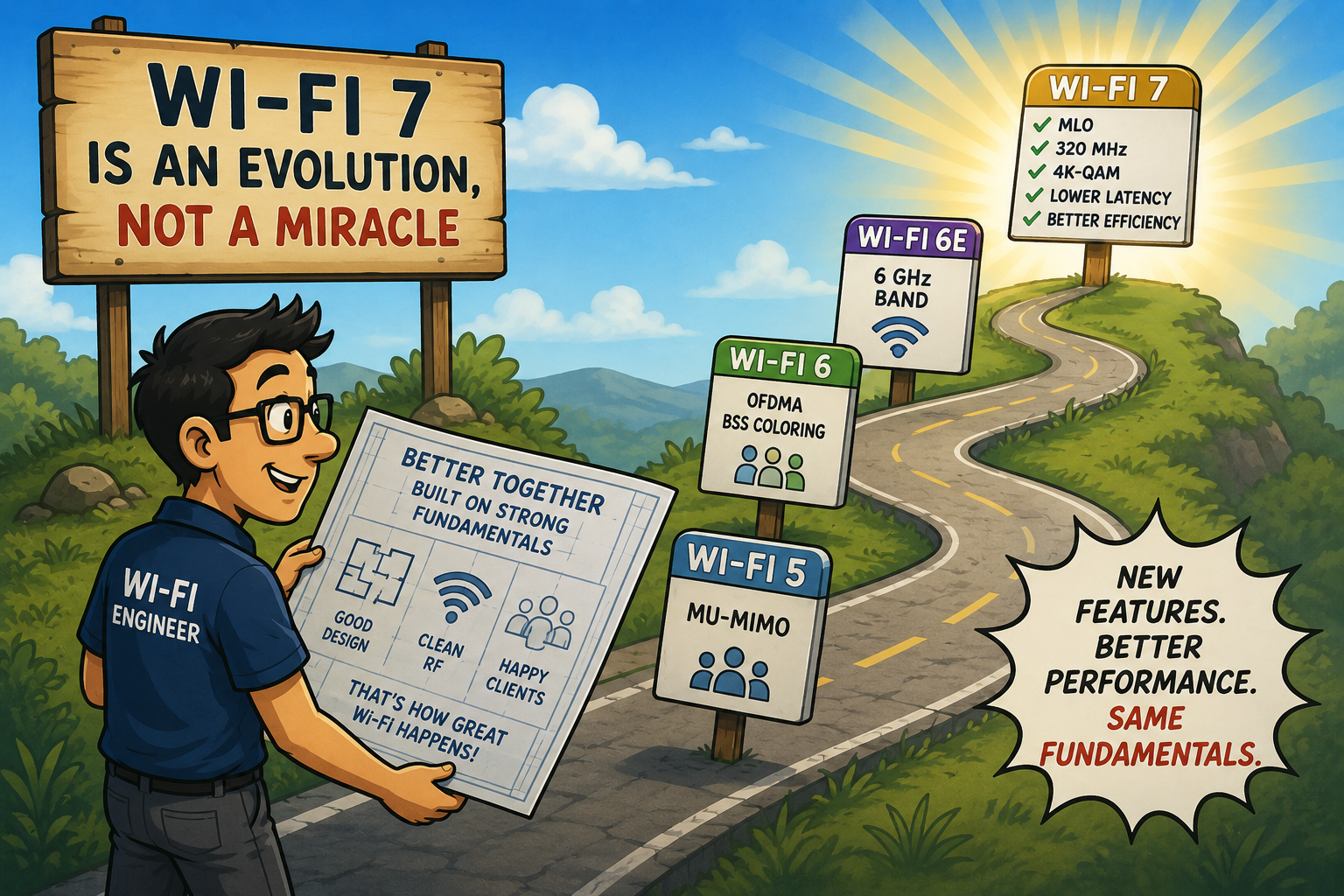
Wi-Fi 7 is An Evolution, Not a Miracle
Every Wi-Fi generation has delivered meaningful improvements:
- Wi-Fi 5 introduced MU-MIMO,
- Wi-Fi 6 improved efficiency with OFDMA and BSS Coloring,
- Wi-Fi 6E expanded into the 6 GHz band, and
- Wi-Fi 7 builds on all of these, with even greater performance and flexibility.
The headline features are certainly impressive:
- 320 MHz channels
- Multi-Link Operation (MLO)
- 4k-QAM modulation
- Top speeds of 46 Gbps
- Enhanced OFDMA scheduling
- Lower latency
- Better deterministic performance
This is an excellent list, but did you notice what isn’t on it? There is no feature entitled “Fix poor RF design”.
Faster Doesn’t Mean Better
One of the easiest traps to fall into is focusing entirely on throughput. Yes, Wi-Fi 7 can deliver astonishing data rates, but ask yourself a question: How many users are actually limited by maximum PHY speed?
In many enterprise environments, users are browsing the web, attending Teams meetings, transferring documents, or using SaaS applications. Those activities rarely consume multi-gigabit bandwidth.
Instead, users complain about:
- Dropped calls
- Slow roaming
- High latency
- Packet loss
- Congestion
- Dead zones
None of these problems are automatically solved by installing faster hardware. (Imagine putting a Formula 1 engine into a car with square wheels. It really won’t improve the driving experience, will it?)
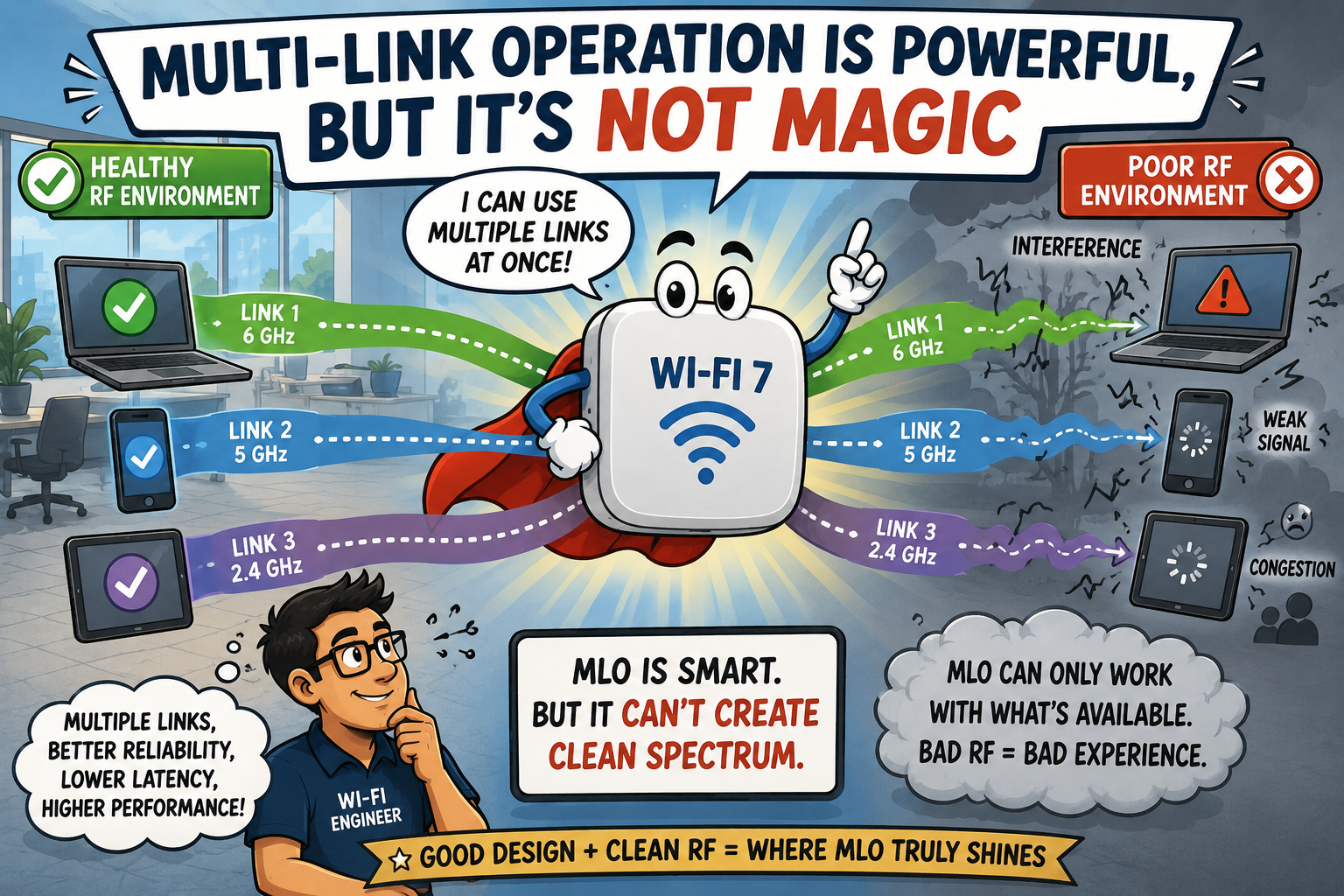
Multi-Link Operation is Powerful, but It's Not Magic
One of Wi-Fi 7's most exciting capabilities is Multi-Link Operation (MLO).
Instead of communicating over a single channel, compatible devices can transmit and receive across multiple links. This offers several benefits:
- Higher throughput
- Improved load balancing
- Lower latency
- Better resilience
This is all genuinely innovative, but MLO depends on something important: that the underlying RF environment still has to be healthy.
If one band is full of interference, another has poor coverage, or channels overlap unnecessarily, MLO cannot invent clean spectrum where none exists.
MLO can intelligently use available resources, but it cannot rewrite the laws of radio physics.
Great Wi-Fi Still Begins with Great Design
Wi-Fi 7 doesn't replace engineering, it rewards good engineering.
Every successful deployment still depends on familiar fundamentals:
- Proper AP placement
- Correct channel planning
- Appropriate channel widths
- Power optimization
- Relevant capacity planning
- Accurate site surveys
- Validation after deployment
...do you notice how none of the standard tasks have disappeared?
Wireless design has always been about understanding the environment... not simply installing newer hardware. The newest AP still performs according to yesterday's RF conditions.
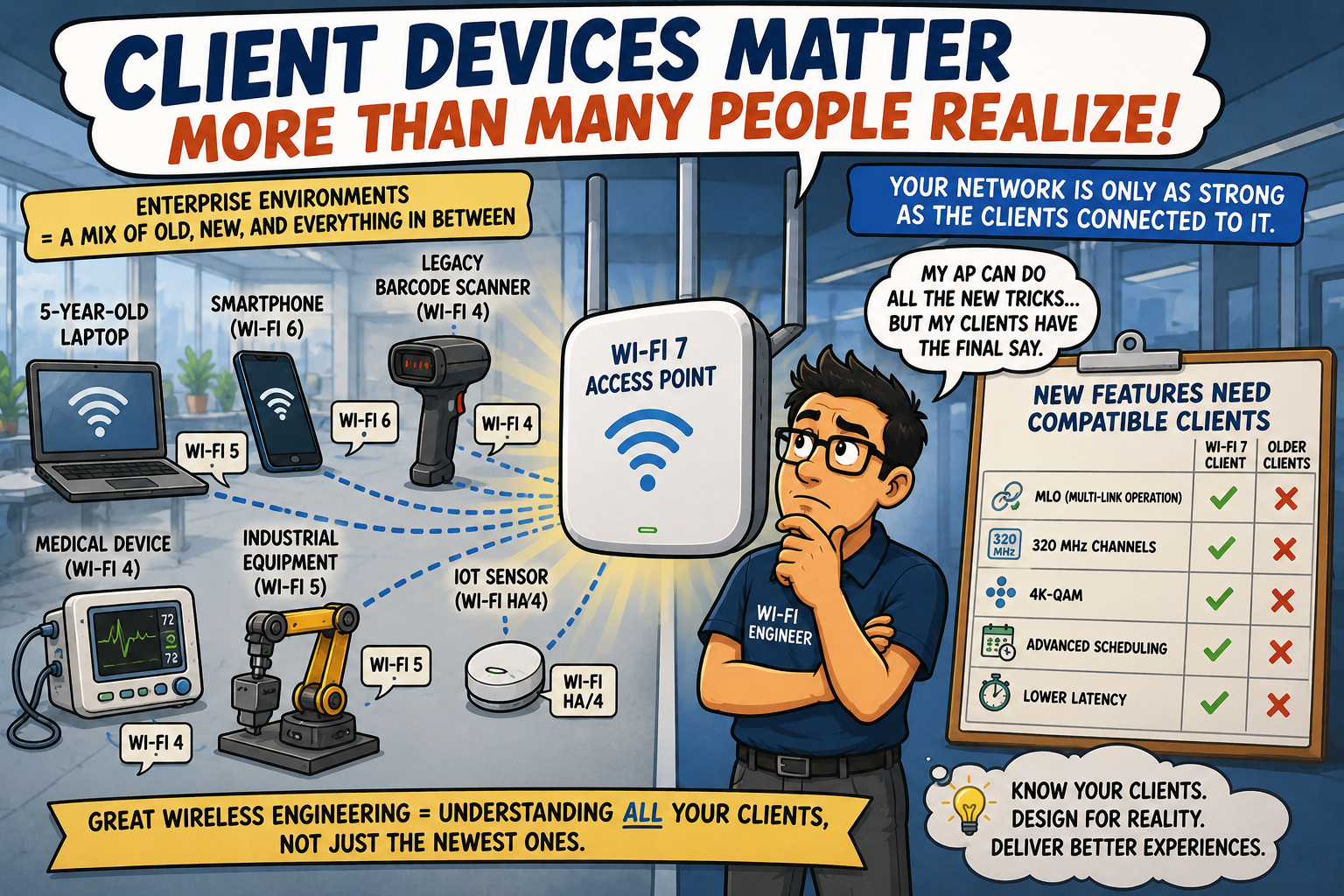
Client Devices Matter More Than Many People Realize
Here's another reality that's easy to overlook: your infrastructure may support every Wi-Fi 7 feature available, but your clients might not.
Enterprise environments often contain:
- Smartphones with varying capabilities
- Five-year-old laptops
- Industrial equipment
- IoT sensors
- Older barcode scanners
- Legacy medical devices
Many devices will continue using Wi-Fi 6, Wi-Fi 6E, or even older standards for years.
Some clients simply won't support:
- MLO
- 320 MHz channels
- 4K-QAM
- Advanced scheduling enhancements
It is important to remember that your network only performs as well as the capabilities of the devices connected to it.
The newest AP can't persuade a ten-year-old scanner to become cutting-edge overnight!
Spectrum Is Still a Limited Resource
One of the biggest misconceptions surrounding Wi-Fi 7 involves wider channels, "Just enable 320 MHz everywhere". This sounds attractive until you remember something important: spectrum isn't infinite.
In low-density environments, wider channels may work extremely well but, in busy enterprise deployments, extremely wide channels may actually reduce available reuse opportunities and increase co-channel contention.
As always, channel width should match the environment.
Engineering is still about trade-offs. Sometimes the fastest theoretical configuration isn't the best operational configuration.
Wireless has always rewarded thoughtful balance over maximum settings.
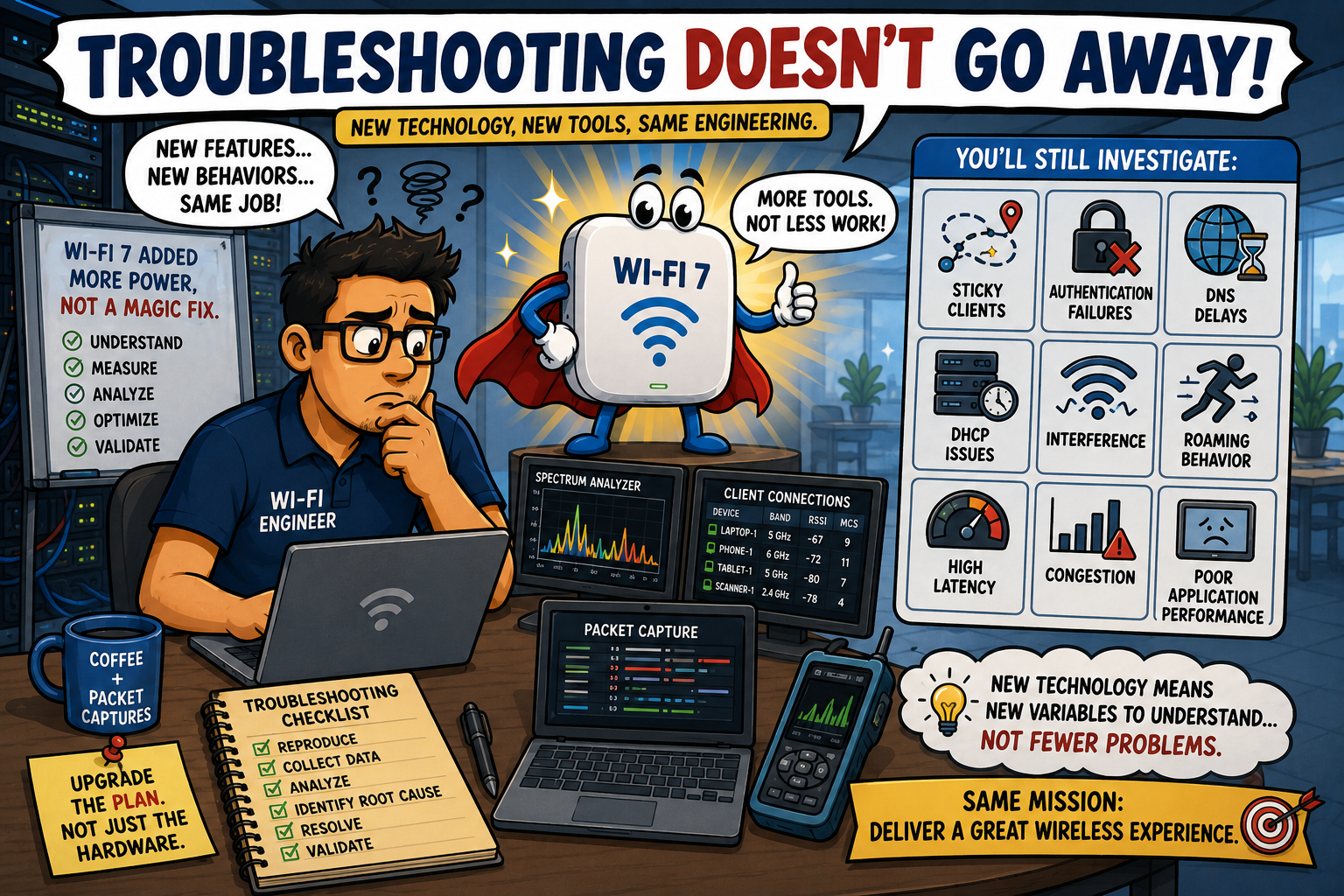
Troubleshooting Doesn’t Go Away
Here's something experienced engineers already know: new technology often changes where problems appear... not whether problems exist.
After upgrading to Wi-Fi 7, you will still need to investigate:
- Authentication failures
- DHCP issues
- DNS delays
- Poor application performance
- Interference
- Roaming behavior
- Sticky clients
...in fact, troubleshooting can become more interesting because newer features introduce additional behaviors that you will need to understand.
This isn’t a drawback, it's simply the nature of engineering.
Every new capability adds another tool to the toolbox, and yet another variable to evaluate.
Fortunately, this is why experienced (and certified) wireless engineers exist.
Technology Doesn't Replace Experience
One of the best things about Wi-Fi 7 is that it gives skilled engineers even more opportunities to optimize networks. The key word is skilled. The technology is incredibly capable, but successful deployments still rely on people who understand:
- Application requirements
- Client behavior
- RF propagation
- Airtime utilization
- Capacity planning
- Spectrum analysis
- Real-world troubleshooting
The AP doesn't make engineering decisions, you do... and that's probably good news for everyone involved!
Busting the Myth
Myth: Wi-Fi 7 Will Fix My Wireless Problems
Wii-Fi 7 is an exciting leap forward in wireless networking. Features like Multi-Link Operation (MLO), wider channels, lower latency, and higher efficiency represent genuine advances that will benefit many enterprise environments, but Wi-Fi 7 doesn't eliminate the fundamentals of wireless engineering:
- Poor RF design is still poor RF design.
- Interference is still interference.
- Client behavior still matters.
- Capacity planning still matters.
- Validation still matters.
The best Wi-Fi networks have never been built by buying the newest hardware alone ~ they've been built by engineers who understand how radio frequency behaves and they design networks accordingly.
The myth is that Wi-Fi 7 fixes wireless problems.
The reality is that Wi-Fi 7 gives great wireless engineers even better tools!
Myth = Busted!
===
===
Learn More
If you want to learn more about our instructor-led IT training options, visit our training portfolio page here
===
#ITCareers #Certification #Networking #CompTIA #CyberSecurity #CareerDevelopment #ProfessionalDevelopment
===
About NC-Expert
NC-Expert is a privately-held California corporation and is well established within the Wireless, Security, and CyberSecurity industry certification training, courseware development, and consulting markets.
NC-Expert has won numerous private contracts with Fortune level companies around the world. These customers have depended on NC-Expert to train, advise, and mentor their staff.
So remember, if you are looking for the best IT training just call us at (855) 941-2121 or contact us
NC-Expert Blog